Desktop CO2 comparison
OMTech Polar 2 RF vs Polar Lite
Is the 2,000 mm/s RF model worth $3,000 more, or is the Polar Lite still the smarter desktop CO2 buy?
Published August 27; updated and specification-checked August 28, 2026
Quick verdict: Polar Lite for value, Polar 2 RF for engraving production
Buy the Polar Lite if you want the lowest-cost all-in-one OMTech desktop CO2 for general wood, acrylic, leather, and product work. At the checked $1,999.99 price, its 55W glass tube, autofocus, built-in cooling, LightBurn compatibility, and shallow pass-through cover the needs of many first-time CO2 buyers.
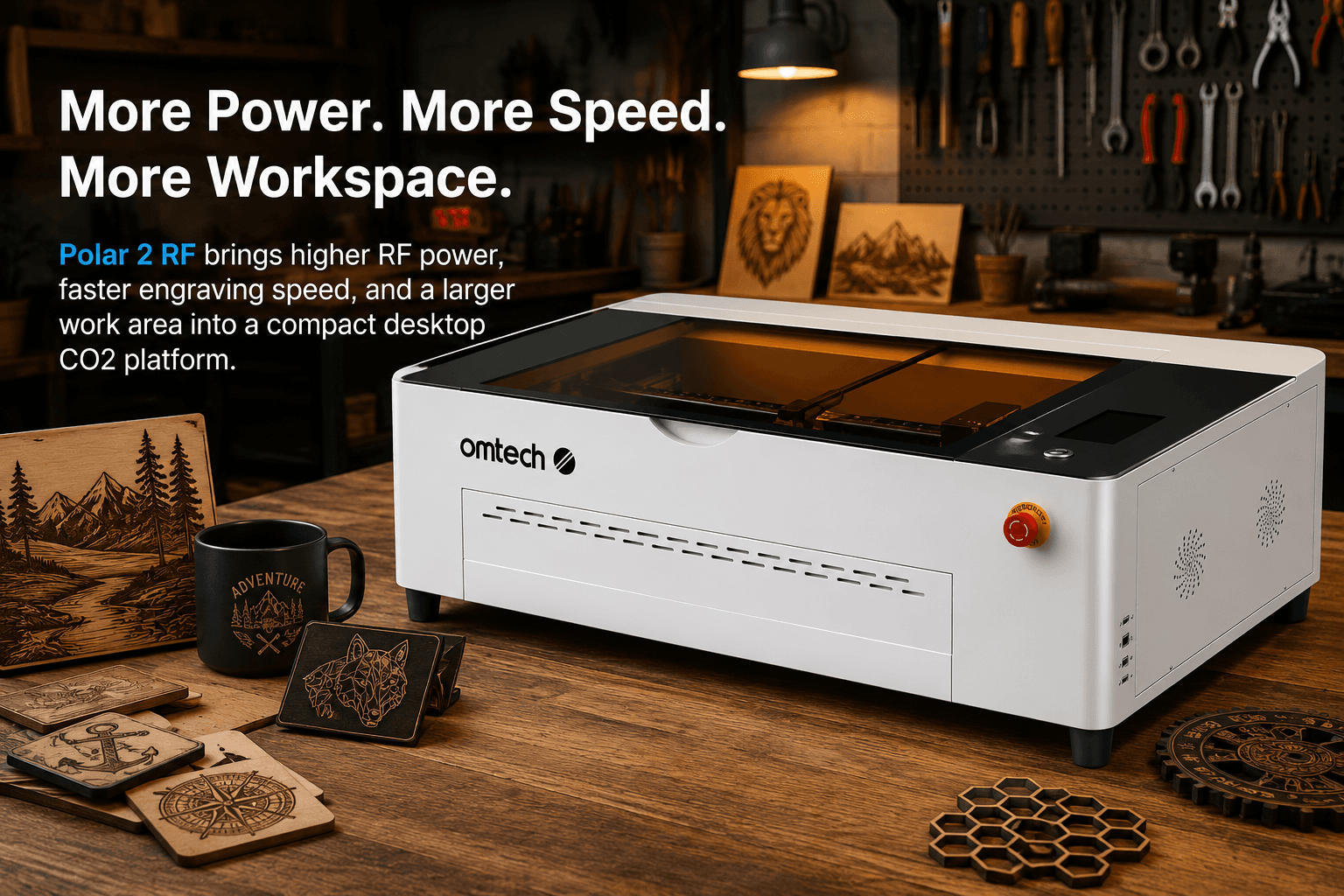
Buy the Polar 2 RF if fine-detail engraving and production speed can pay for the upgrade. Its 50W RF tube, 2,000 mm/s listed speed, 28 × 14 inch bed, air cooling, 16MP camera, included rotary, and up-to-30,000-hour listed tube life are meaningful—not cosmetic—advantages. The tradeoff is a checked $4,999.99 price and no pass-through.
Choose Polar Lite when
- Your machine budget is close to $2,000
- 500 mm/s is sufficient for your order volume
- Your products fit a 20.1 × 11.8 inch bed
- You value a shallow pass-through for thin stock
- You mainly cut and engrave general non-metals
- You would rather invest the $3,000 difference elsewhere
Choose Polar 2 RF when
- Fine text, photos, logos, and linework drive revenue
- Engraving throughput is a current bottleneck
- You need a 28 × 14 inch layout area
- You want air cooling instead of a water loop
- An included rotary and LightBurn license add value
- You can justify the premium through sustained production
OMTech Polar 2 RF vs Polar Lite specifications
| Feature | Polar Lite 55W | Polar 2 RF 50W |
|---|---|---|
| Price checked Aug. 28, 2026 | $1,999.99 Essential | $4,999.99 RF package |
| Laser source | 55W glass CO2 | 50W RF CO2 |
| Work area | 20.1 × 11.8 in. | 28 × 14 in. |
| Listed max speed | 500 mm/s | 2,000 mm/s |
| Max material height | 2 in. without workbed | 4.53 in. |
| Cooling | Built-in 2 L water system | Air-cooled |
| Camera | 5MP panoramic | 16MP, ±1 mm positioning |
| Autofocus | Yes | Yes |
| Rotary | Compatible; package dependent | Basic rotary included |
| Pass-through | Front and rear, 15.8 × 0.3 in. | None |
| Expected tube life | 11,000 hours listed | Up to 30,000 hours listed |
| Engraving precision | ±0.02 mm listed | ±0.02 mm listed |
| Software | LightBurn / RDWorks compatible | LightBurn / RDWorks; license included |
| Connections | Wi-Fi, USB, Ethernet | Wi-Fi, USB, U-disk, Ethernet |
| Machine size | 41.1 × 22.2 × 11.0 in. | 46.38 × 27.28 × 14.29 in. |
What does the $3,000 Polar 2 RF premium buy?
The price difference is not simply 5W less laser power for more money. The Polar Lite uses a conventional 55W glass CO2 tube; Polar 2 RF uses a sealed 50W radio-frequency tube. OMTech lists the RF model at four times the maximum engraving speed, with a longer expected tube life and finer high-speed response. Those gains matter most for engraving-heavy businesses producing photos, detailed logos, small text, serialized products, and repeated batches.
The Polar 2 RF package checked for this review also includes LightBurn, a starter material kit, and a basic rotary. Polar Lite's $1,999.99 Essential package is less complete: LightBurn and rotary options depend on the selected bundle. Compare usable checkout configurations—not only the lowest displayed machine prices.
RF tube vs glass tube: the practical difference
A glass-tube CO2 laser remains an excellent general-purpose cutter and engraver. Polar Lite's 55W tube is the sensible value choice for signs, ornaments, layered wood products, acrylic goods, leather patches, glass engraving, paper, and fabric.
The Polar 2 RF's advantage is fast, controlled pulsing. OMTech positions it for cleaner small details with less overburn, faster engraving response, and up to 30,000 hours of tube life. That does not make it a fiber laser: neither Polar should be bought primarily for direct bare-metal engraving. Coated metals and marking compounds are a different workflow from true fiber marking.
Speed, bed size, and production throughput
Polar 2 RF expands the work area from 20.1 × 11.8 inches to 28 × 14 inches—about 65% more layout area. The extra width is useful for larger signs, more pieces per fixture, and rotary clearance. Its listed 2,000 mm/s ceiling is four times Polar Lite's 500 mm/s, although actual job time still depends on acceleration, artwork density, line interval, material, and settings.
Do not justify the premium from the headline speed alone. Measure your current engraving minutes per order, monthly volume, and contribution margin. Polar 2 RF makes financial sense when reduced machine time unlocks enough additional profitable work; otherwise, Polar Lite plus materials, ventilation, photography, and customer acquisition may produce a better return.
Camera, cooling, rotary, and pass-through
Both machines include autofocus and camera-assisted placement. Polar Lite uses a 5MP panoramic camera and a built-in 2 L water loop. Polar 2 steps up to a 16MP camera and the RF model is air-cooled, removing water-loop maintenance from the daily workflow. Production users should still use measured jigs for repeatability rather than treating any camera preview as a precision fixture.
Polar 2 includes a basic rotary and accepts material up to 4.53 inches high, but it has no front or rear pass-through. Polar Lite's pass-through is only 15.8 × 0.3 inches, yet it can feed thin longer stock. That small feature can outweigh Polar 2's larger bed for specific sign and strip-material workflows.
LightBurn and shop workflow
Both models support LightBurn and RDWorks. LightBurn is the better fit for operators who want reusable layer conventions, device profiles, jigs, and files that can move to a future cabinet laser.
What about the Polar 2 70W glass model?
OMTech sells the same Polar 2 chassis with a 70W glass tube for a checked $3,699.99. It retains the 28 × 14 inch bed, 16MP camera, autofocus, included rotary, and LightBurn compatibility, while using a 4.3 L internal water-cooling system. Its listed maximum speed is 1,200 mm/s and listed tube life is up to 10,000 hours.
That middle option deserves consideration when you want the larger Polar 2 platform and more cutting-oriented glass-tube power but cannot justify the $4,999.99 RF package. The RF model remains the premium engraving choice; the 70W glass model is the more balanced step-up for general product work.
Check current Polar prices
Final buying recommendation
Polar Lite remains our recommendation for most first-time CO2 buyers and smaller sellers. Polar 2 RF is the better machine for a narrower, more demanding buyer: an engraving-heavy shop that can calculate how speed, detail, bed area, and reduced cooling maintenance recover the premium.
Shops that routinely need larger jigs, sheet pass-through, or cabinet-scale batch capacity should compare the OMTech Pronto before buying either desktop model.
Frequently asked questions
Is the OMTech Polar 2 RF better than the Polar Lite?
The Polar 2 RF is substantially faster on paper, has a larger work area, higher-resolution camera, included rotary, air cooling, and a longer listed tube life. The Polar Lite remains the better value when a 20.1 × 11.8 inch bed and 500 mm/s speed are enough.
Why does the Polar 2 RF cost more?
Its sealed RF tube is designed for faster response, fine-detail engraving, air cooling, and longer service life. The larger chassis, 16MP camera, included rotary, and higher listed speed also contribute to the premium.
Which Polar is better for cutting?
For value-focused general wood and acrylic cutting, the 55W Polar Lite remains compelling. Polar 2 RF is the stronger fit when engraving speed, small-detail control, larger layouts, and long production duty matter more than the lowest purchase price.
Does Polar 2 RF have a pass-through?
No. OMTech states that Polar 2 has no front or rear pass-through. Polar Lite has a shallow 15.8 × 0.3 inch front-and-rear pass-through, which can help with thin, longer stock.
Do both OMTech Polar models work with LightBurn?
Yes. Both support LightBurn and RDWorks. The checked Polar 2 RF package includes a LightBurn license, while Polar Lite package contents vary.
Should I buy Polar 2 RF or the 70W glass Polar 2?
Choose the 50W RF model for the highest listed engraving speed, fine-detail response, air cooling, and long tube life. Consider the less expensive 70W glass version when cutting power and general-purpose production matter more than RF-specific benefits.
Specifications and US pricing were checked against OMTech's official Polar 2 and Polar Lite product pages on August 28, 2026. Manufacturer performance figures are not independent test results. Confirm current bundles, warranty terms, compatibility, and cart pricing before purchase. Never operate a laser unattended.