How to Start a Laser Engraving Business
A step-by-step plan from a seller who has made and shipped laser products since 2019: the business model, the machine, the niche, the price and the first 30 days.
By Randall Morgan, founder of LaserBurn AI.
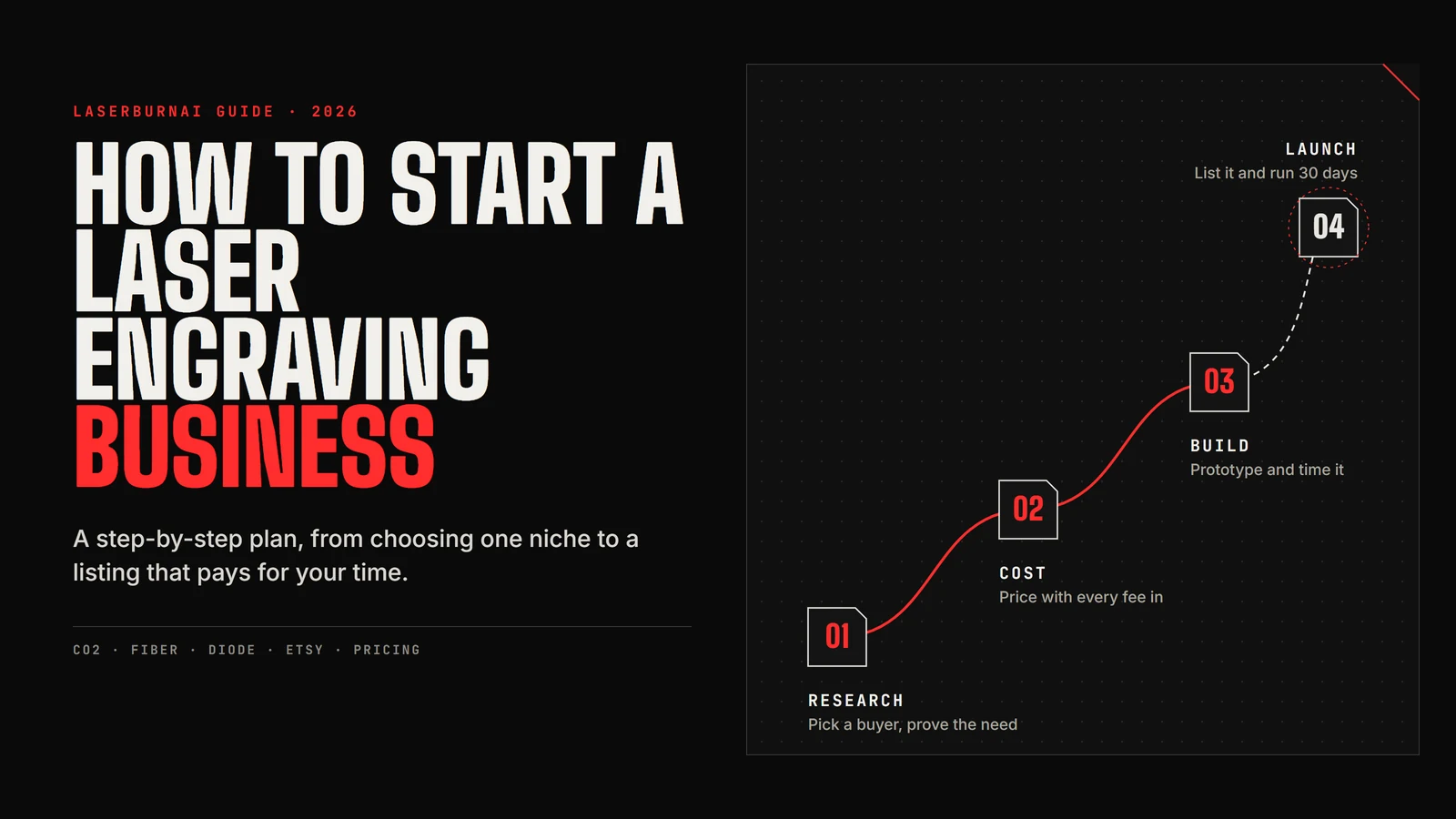
I started on a Glowforge in 2019, making products to sell on Etsy. Since then I have run a Boss LS-1416, and today I cut on an OMTech Pronto 45. Over that stretch my shops brought in $327,000+ in gross Etsy revenue across two shops, 2019–2025.
Gross revenue is not profit. That number is before materials, fees, shipping, equipment, advertising and taxes. It is one person's experience, results are not typical, and nothing here guarantees any income.
This guide is the order I would do things in if I were starting again. It covers what a laser engraving business costs to start, which kind of laser is worth buying, how to choose what to make, how to price it so you keep some money, and how to get the first listing live.
The short version
- Choose one business model to start with.
- Buy a laser that can make the products that model needs.
- Pick a niche: a specific buyer with a specific reason to buy.
- Validate one product before you buy materials in bulk.
- Price it from real costs, then check it against the market.
- Sort out the business basics and build a strong listing.
- Launch, watch the numbers for 30 days, and adjust.
Step 1: Choose your business model
“Laser engraving business” covers a few different businesses, and each one needs a different setup and a different kind of selling. Pick one to start.
- Online personalized products. You list products on Etsy or your own site and make them to order. Work happens on your schedule, and you compete on photos, reviews and search. This is the model I know best, and most of this guide assumes it.
- Local custom work and B2B. Closing gifts for realtors, logo items for local companies, awards for schools and sports leagues. Fewer orders, bigger ones, and you win them by talking to people.
- Craft fairs and markets. You see quickly what people pick up and what they ignore. The cost is your weekends, and sales come in bursts.
- Wholesale to shops. Lower price per piece in exchange for larger runs. It works best once you have a product you can make quickly and consistently.
Selling digital cut files is a separate business with different economics, so I am leaving it out here. You can mix models later. Starting with one keeps your first month focused on one product, one sales channel and one set of numbers.
Step 2: Pick a business-ready laser
The machine decides what you can sell, so choose it after you know roughly what you want to make. For a physical product business, my recommendation is a CO2 laser.
- CO2. Cuts and engraves wood, plywood, acrylic (including clear acrylic), leather and paper, and engraves glass, slate and stone. This covers most of the products that sell well as personalized gifts, and it is what I have used since 2019.
- Diode. Cheaper and fine for learning and for engraving wood and slate. In my experience it becomes the bottleneck once orders arrive: it is slower, it struggles with thicker stock, and it cannot cut clear acrylic. Plenty of people sell diode-made work, so treat this as my business recommendation rather than a rule.
- Fiber. The tool for marking and engraving metal: tumblers, tools, tags and jewelry. It is not the machine for cutting wood or acrylic. Add one if metal is your niche.
When you compare CO2 machines, these are the features that matter for selling:
- LightBurn support. It is the standard control software, and it means you are not tied to one company's cloud service.
- Bed size and pass-through. Measure your largest likely product. A bigger bed also lets you run more pieces per job.
- Autofocus and air assist. Both save material and cut down on charred edges while you are learning.
- Cooling and ventilation. Budget for a chiller on floor-standing machines and a real exhaust path for all of them.
- Support and parts. Tubes, mirrors and lenses wear out. Find out how you get replacements before you buy.
The Glowforge taught me the basics and got my first products out the door. The later upgrades were mostly about usable bed area, which decides what you can make and how many pieces fit on one sheet. If you are choosing now, our OMTech Pronto review covers the floor-standing option for higher volume, and the OMTech Polar review covers desktop CO2 machines. You can also compare OMTech CO2 lasers and check the current discount code before you buy.
Affiliate disclosure: OMTech links on this page are affiliate links. If you buy through them we may earn a commission at no extra cost to you. I run an OMTech machine in my own shop.
What it costs to start
These are rough ranges in US dollars as of October 2026. Prices change often, and sales can move machine prices by hundreds of dollars, so treat this as a planning sketch and check current prices before you commit.
| Item | Rough range | Notes |
|---|---|---|
| Desktop CO2 laser | $1,800 – $4,000 | Enclosed, fits on a sturdy bench. Smaller bed. |
| Floor-standing CO2 laser | $3,700 – $6,500+ | Bigger bed and pass-through. Needs floor space. |
| Water chiller | $300 – $500 | Floor-standing CO2 tubes need one. Many desktop units have cooling built in. |
| Ventilation or fume extraction | $100 – $800 | Inline fan and duct to a window at the low end, a filtered extractor at the high end. |
| LightBurn software | $60 – $200 | Price depends on the edition your controller needs. |
| Air compressor, fire extinguisher, safety | $50 – $200 | Air assist may be built in. A CO2 extinguisher within reach is not optional. |
| Starter materials and blanks | $150 – $400 | Plywood, acrylic and a few blanks for your first product. |
| Finishing and test supplies | $50 – $150 | Masking tape, sandpaper, finish, scrap for test cuts. |
| Packaging and shipping supplies | $50 – $150 | Boxes, padding, labels, a postal scale. |
| Photo setup | $0 – $100 | A phone, window light and a plain backdrop go a long way. |
| Registration, permits, Etsy setup | $0 – $300 | Varies by location. Etsy charges a one-time setup fee in some countries. |
| Business insurance | Quote-based | Often billed yearly. Get a quote before your first sale. |
Added up, a lean desktop CO2 start lands somewhere around $2,300 to $6,300, and a floor-standing CO2 setup with a chiller around $4,500 to $9,500. A diode start can come in well under that, with the trade-offs above. Leave room for a few months of materials and some wasted stock while you learn your settings.
Step 3: Choose a niche
A niche is a buyer plus a reason to buy. “Wood signs” is a product category. “Dog owners who want a memorial for a pet they just lost” is a niche, and it tells you what to make, how to word the listing and what the buyer will pay for.
Some examples that suit a CO2 laser:
- Couples getting married this year who want a guest book alternative or a welcome sign.
- Realtors who give a closing gift with every sale.
- New parents who want a nursery name sign.
- Small businesses that want logo coasters or desk plates for clients.
Our list of 25 profitable laser engraving ideas has more starting points. Write down ten candidates, then score each one on the same handful of questions:
- Is there evidence people already buy this, at a price that interests you?
- Can you personalize it with a name, date, place or photo?
- How many minutes is it on the laser, and how many minutes of finishing?
- Does it ship easily without breaking?
- Can you make it noticeably better or different from what is already listed?
- Will you still want to make it after the fiftieth one?
One warning, which I call the bestseller trap. Studying bestsellers is good research, as long as you use it to learn what buyers want and then design your own version with a different angle, size, material or personalization. Copied designs and listings get reported, and anything using licensed characters, team logos or brand names can get your shop shut down.
Step 4: Validate one product
Take your top-scoring idea and make one. Before you buy a stack of blanks, you want answers to three questions: can you make it consistently, what does it actually cost, and does anyone want it at your price?
- Prototype it. Cut it in the real material at the real size. Time the laser job and the finishing separately.
- Fix the design for production. Nest parts to save material, simplify fiddly details and make personalization quick to change in LightBurn.
- Photograph it. Good photos are part of the product on Etsy. If it does not look good in a photo, that is useful information too.
- Put it in front of buyers. List it, take it to a market, or show it to a few people who fit your niche. Ask what they would pay before you tell them your price.
Give it a fixed window, around 30 days, and decide in advance what counts as a signal: views and favorites on the listing, messages asking about custom versions, and of course sales. A product nobody reacts to after a fair test is telling you something. Move to the next idea on your list instead of discounting it.
Step 5: Price it with real costs
Underpricing is the most common way I see new laser sellers stay busy without making money. Price from the bottom up, then check against the market.
Every order carries these costs:
- Material, including the waste around each piece.
- Machine time. Electricity is tiny. The real cost is wear on the tube and optics, plus the fact that your laser can only run one job at a time.
- Your time for setup, personalization, finishing, packing and customer messages. Pay yourself an hourly rate in the math, even if you do not take it yet.
- Packaging.
- Marketplace fees. The US Etsy defaults in our calculator were reviewed in August 2026: a $0.20 listing fee, a 6.5% transaction fee, 3% + $0.25 payment processing, and an Offsite Ads fee of 12% or 15% when Etsy attributes an order to one of its ads.
- Shipping shortfall, the gap between what postage costs you and what you charge the buyer.
Here is a worked example. Say a personalized plywood sign sells for $34.99. Material is $3.00, packaging $1.50, the laser runs 15 minutes, and you spend 10 minutes on it yourself at $25 an hour. Postage costs you $6.50 and you charge the buyer $4.99. On a normal order, that leaves about $20.56 after paying yourself for your time. If the same order comes through a 15% Offsite Ad, it drops to about $14.57. The break-even price is about $12 without the ad fee and about $16 with it. Those numbers leave out machine wear, failed cuts and returns, so leave yourself a cushion.
You can run your own numbers in our free laser engraving profit calculator. It includes Etsy fees and shows your break-even price as you type.
Then look at what similar products actually sell for. If the market price sits below your break-even, change the product before you change the price: personalize it, make it larger, pair it with a box, or switch to a material that cuts faster. For one-off custom engraving jobs, a common approach is a minimum charge plus a machine-time rate, so small jobs still cover the setup.
Step 6: Set up the business and the listing
Business basics (check locally)
The rules depend on where you live, so treat these as questions to ask rather than legal advice:
- Registration. Many places require you to register a business or file a trade name, even as a sole proprietor.
- Sales tax. You may need a sales tax permit. In the US, Etsy collects and remits sales tax in many states, but you may still have filing obligations for other sales, such as craft fairs.
- Home business and zoning rules. Some areas limit businesses run from home, especially ones with customer visits or equipment like lasers.
- Insurance. A homeowner or renter policy may not cover business equipment, inventory or product liability. Ask an agent for a quote.
- Fire safety. Never leave a running laser unattended, keep a CO2 extinguisher within reach, and keep the bed clean.
- Separate money. A separate bank account makes taxes and pricing decisions much easier.
Your city or county website and your state or national tax agency are the right places to confirm what applies to you.
Building the listing
On Etsy, the listing does most of the selling. A few things matter more than the rest:
- Photos. Lead with a clear shot of the finished product, then show scale, detail, the personalization and the packaging. Natural window light and a plain background are enough to start.
- Title and tags. Use the words a buyer would type: the product, the occasion and the recipient. Skip clever names.
- Personalization instructions. Tell buyers exactly what to enter and show an example. Clear instructions prevent most remakes.
- Processing time. Set one you can keep in your busiest week, especially in November and December.
- Shipping profiles. Weigh the packed product and set postage from real numbers.
Step 7: Launch and learn
A first listing rarely sells on day one. Plan the first month so you learn something each week:
- Week 1. Finish the production version, run the final cost numbers and take the photos.
- Week 2. Publish the listing, plus two or three variations in size, wording or material.
- Week 3. Tell people. Share it with friends and local groups, and follow up with your first buyers so they know how to leave a review. Etsy does not allow you to offer anything in exchange for reviews.
- Week 4. Read your shop stats. Lots of views but few favorites usually points to price or photos. Few views points to titles and tags. Decide whether to improve this product or start on the next idea.
Keep a simple log of what you changed and when. After a few rounds you will have a process you can repeat for every new product, which matters more than any single listing.
If you need practice material first, the free Beginner Bundle has 100 designs you can cut while you dial in your settings.
Is a laser engraving business worth it?
It can be, if you treat it like a business from the first product. The sellers who do well usually pick a clear niche, price from real costs, and keep improving their listings. The ones who struggle tend to make whatever looks fun, price to match the cheapest listing they can find, and never work out what an order actually costs them.
A laser is also a real commitment of money, space and attention. If you are not sure yet, start small: validate one product, run the numbers and see how the first month goes before you spend more.
Frequently asked questions
How much does it cost to start a laser engraving business?
As a rough guide in October 2026, a lean start on a desktop CO2 laser runs about $2,300 to $6,300 once you add ventilation, software, safety gear, starter materials, packaging and basic registration. A floor-standing CO2 setup with a chiller runs about $4,500 to $9,500. A diode laser is cheaper, but it limits what you can make and how fast. Check current prices before you budget.
Is a laser engraving business profitable?
It can be, but profit depends on the product, the price and how much of your time each order takes. Personalized products with short run times and simple shipping tend to leave the most margin. Work out material, machine time, your time, packaging, marketplace fees and the shipping shortfall for every product before you list it. Gross sales are not profit, and no result is guaranteed.
What is the best laser for a laser engraving business?
For a physical product business I recommend a CO2 laser. It cuts and engraves wood, acrylic (including clear acrylic) and leather, and engraves glass and stone, at production speed. Look for LightBurn support, a bed large enough for your products, autofocus, air assist and proper cooling. Add a fiber laser if your niche is metal marking.
How much should I charge for laser engraving?
Start from your break-even price: material, machine time, your time at an hourly rate, packaging, marketplace fees and any shipping you absorb. Price above that, then compare with what similar products actually sell for. For one-off custom jobs, a minimum charge plus a machine-time rate keeps small orders worth doing.
Do I need a license to sell laser engraved products?
It depends on where you live. Many places require a business registration or trade name filing, a sales tax permit, and compliance with home business or zoning rules. Talk to an insurance agent about business and product liability cover too, because a homeowner policy may not cover business equipment. Check with your city, county and state or national tax office.
Can I sell laser engraved items on Etsy?
Yes. Etsy is where I have sold since 2019, across two shops. Personalized items do well there because buyers search for names, dates and occasions. Budget for the listing fee, transaction fee, payment processing and Offsite Ads on attributed orders, and check Etsy’s current Fees & Payments Policy before you price.
We earn a commission when you buy through our OMTech links, at no extra cost to you. Startup cost ranges are rough figures as of October 2026, and the Etsy fee defaults were reviewed in August 2026. Both change, so confirm current prices and rules before you rely on them.