Image to STL Converter
Turn a photo into a watertight STL relief you can 3D print or carve. The detailed 3D relief (2 AI credits) has AI sculpt faces, fur and folds into real depth and cut the background away. The standard depth map (1 credit) keeps the true depth of buildings, cars and landscapes. Both include the STL and 16-bit heightmap PNGs. Want to look first? The free mode previews a depth map in your browser. See example reliefs.
Watertight STL plus 16-bit PNGs, from a detailed AI-sculpted relief or a larger depth model on our server.
Click to upload, or drag and drop your photo here
JPG or PNG, any size
Detailed relief uses 2 AI credits: 10 credits for $5/month, cancel any time. Every conversion includes a 16-bit PNG and STL. Failed conversions are refunded.
Photo to STL examples
The same image through both paid modes. Each preview is a 3D render of the heightmap that mode produced, at the delivered STL's proportions: 100 mm wide with 10 mm of relief.
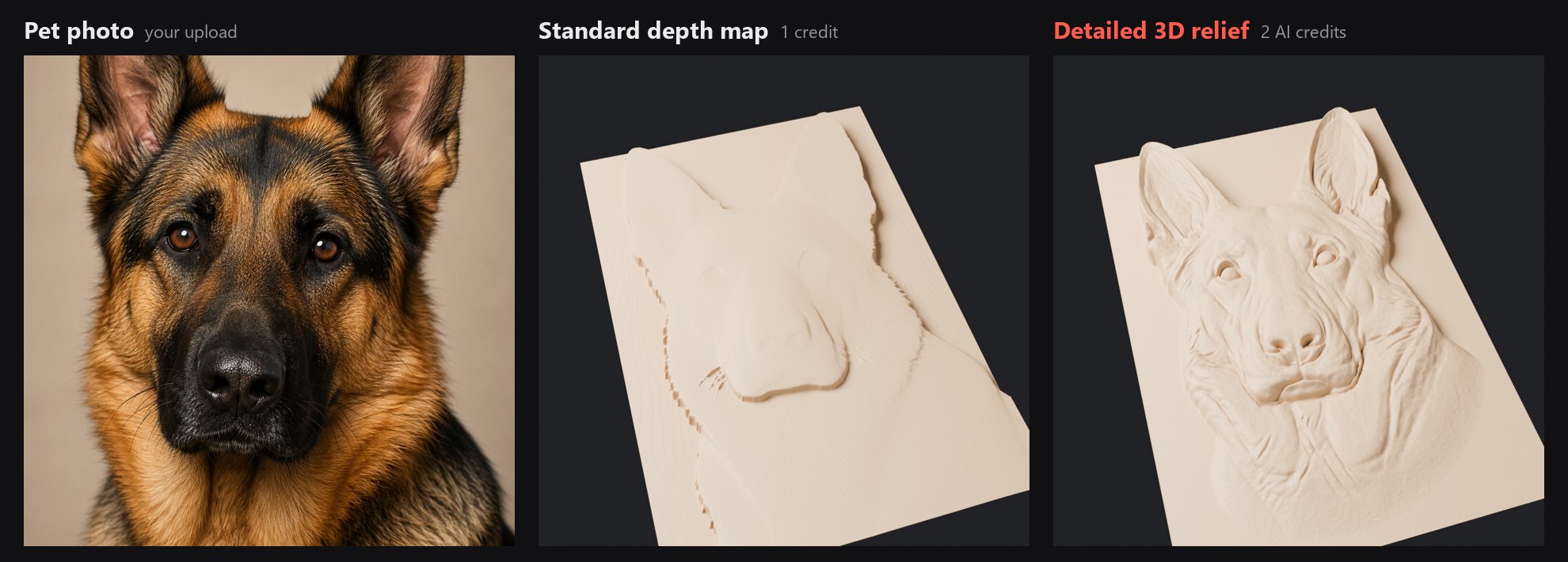
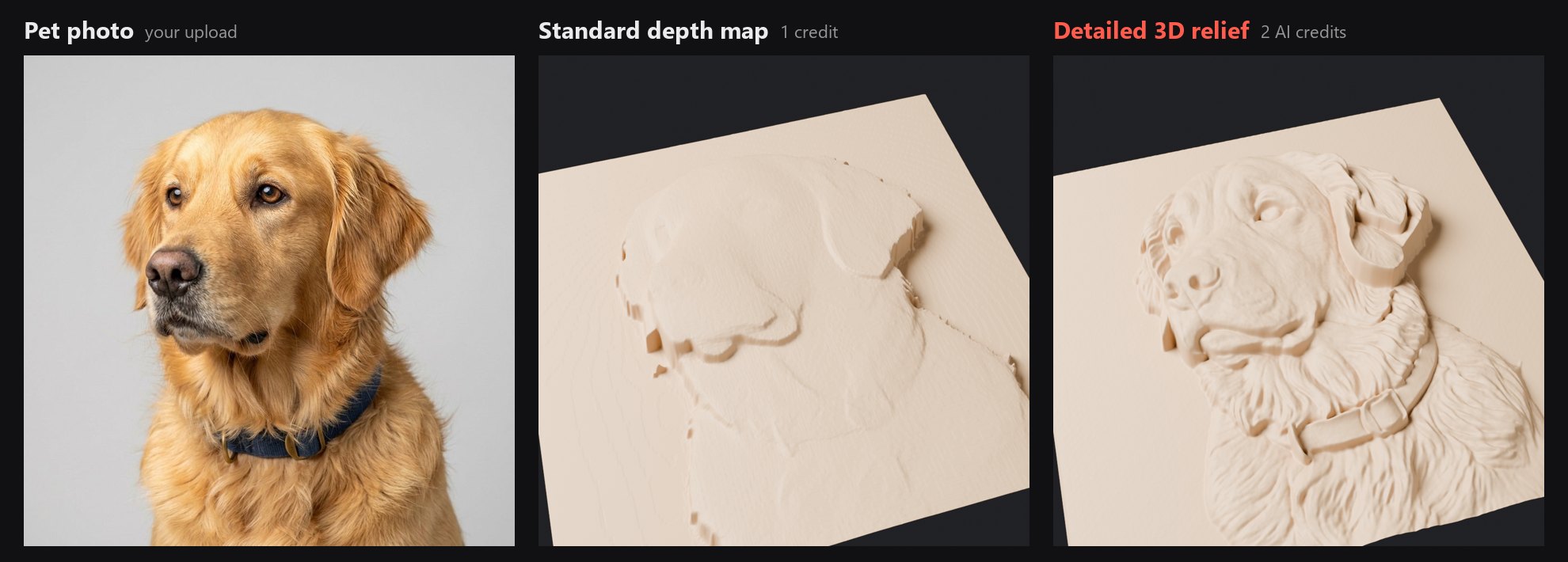
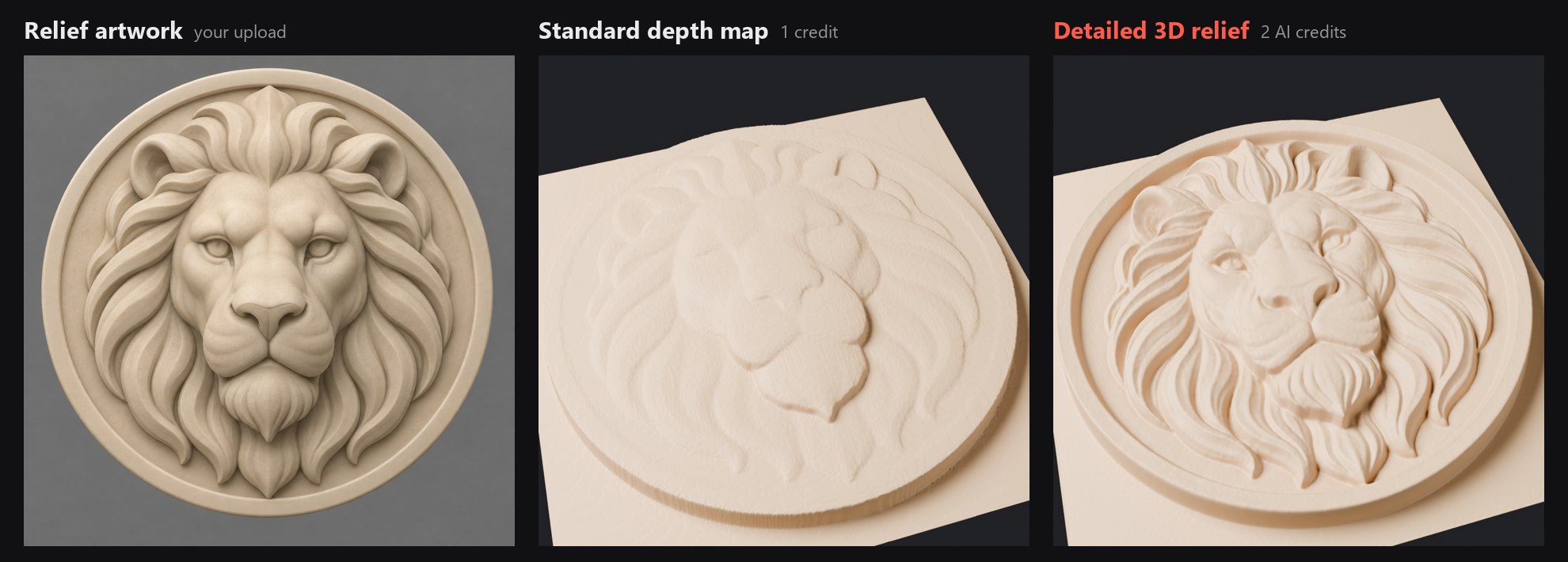
Detailed relief is an AI sculpt of your photo: pose and features carry over closely, but it is an interpretation, so a clear, front-facing subject gives the best likeness.
A relief, not a brightness map
The usual way to turn an image into an STL is to read each pixel and push bright ones up and dark ones down. That suits logos and lithophanes. On a photo it fails: a black dog prints as a hole, a white wall prints as a tower, and shadows become trenches across a face.
This converter works from depth instead. An AI model works out what is near and what is far, so the nose sits in front of the ears whatever colour the fur is. The result is expanded to 16 bits (65,536 height levels, so slopes stay smooth instead of stepping) and meshed into a closed solid with walls and a flat base, ready for a slicer.
What is in the STL
Watertight solid
Relief surface, four walls and a flat bottom with no open edges, so slicers accept it without repair. About 130,000 triangles, binary STL.
A size you can rescale
100 mm wide, 10 mm of relief, 3 mm base. Scale it uniformly for a bigger plaque, or scale Z alone for a deeper or shallower carve.
Heightmaps included
The same conversion gives a 16-bit PNG and an inverted copy for CAM programs that import bitmap reliefs, plus a preview JPG.
How it works
- STEP 1
Upload your photo
A JPG or PNG with one clear subject works best: a pet, a portrait, a car or a house front.
- STEP 2
Pick a mode and convert
Detailed 3D relief for pets and people, standard depth map for scenes and objects. A 3D preview shows the result before you download.
- STEP 3
Download and slice
Open the STL in Bambu Studio, OrcaSlicer, PrusaSlicer or Cura, scale it to the size you want, and print.
Printing a relief well
- Stand it on edge. Printed upright, the layer lines run across the relief instead of terracing it. Add a brim so the thin plate stays put.
- Or print flat with thin layers. At 0.08 to 0.12 mm the stair-steps on shallow slopes are much less visible.
- Deepen it in the slicer. Scaling Z to 150% turns 10 mm of relief into 15 mm without changing the plaque's footprint.
- Carving instead? The same files work on a CNC router. The image to heightmap page covers the bitmap workflow for VCarve, Aspire and Fusion 360.
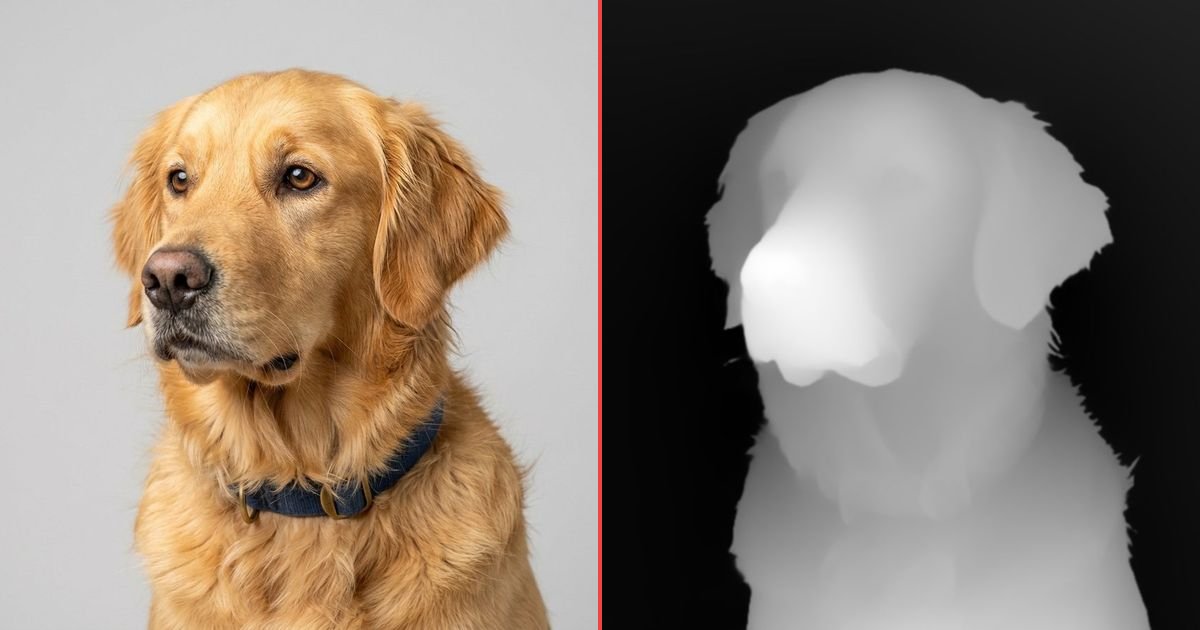
Depth map examples
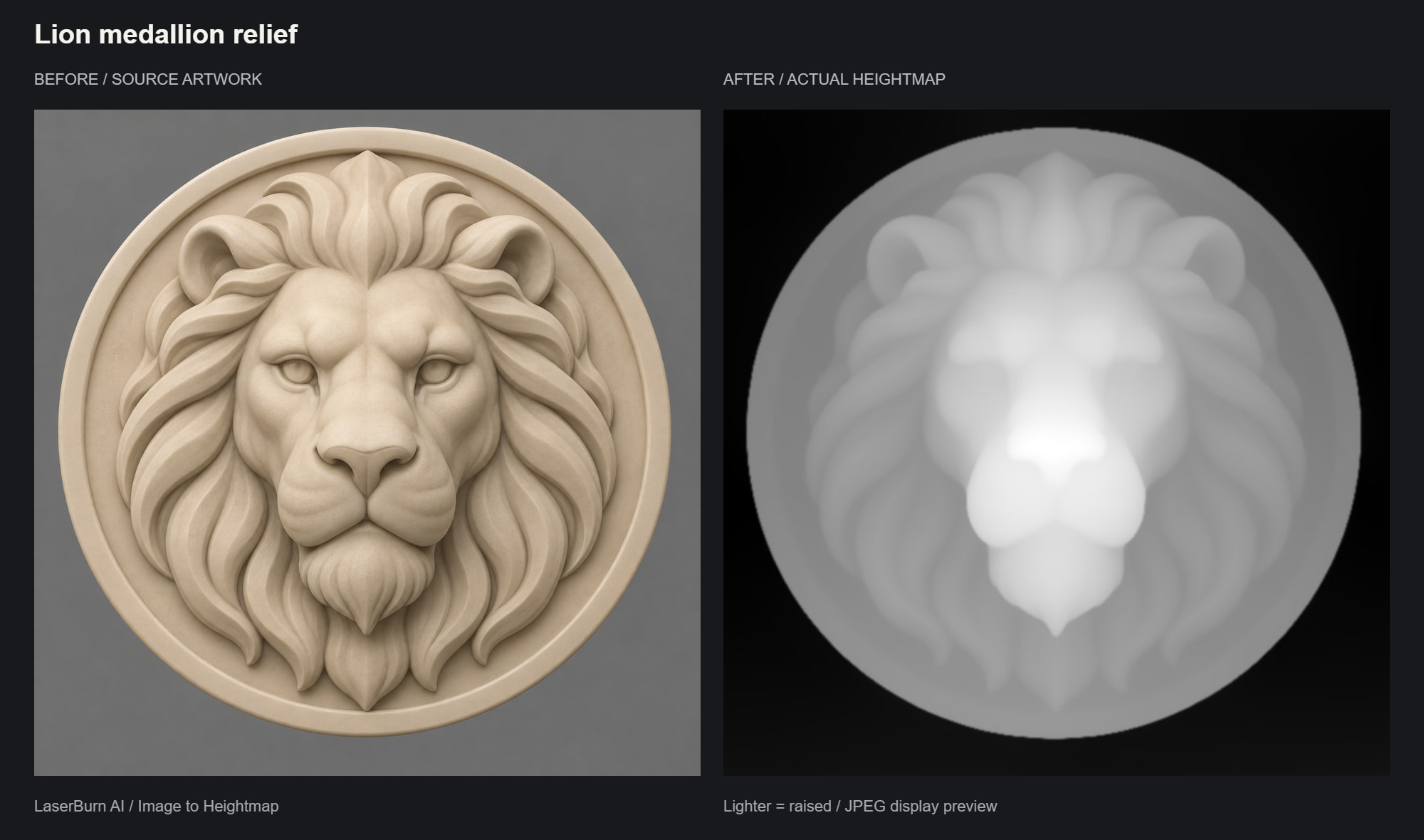
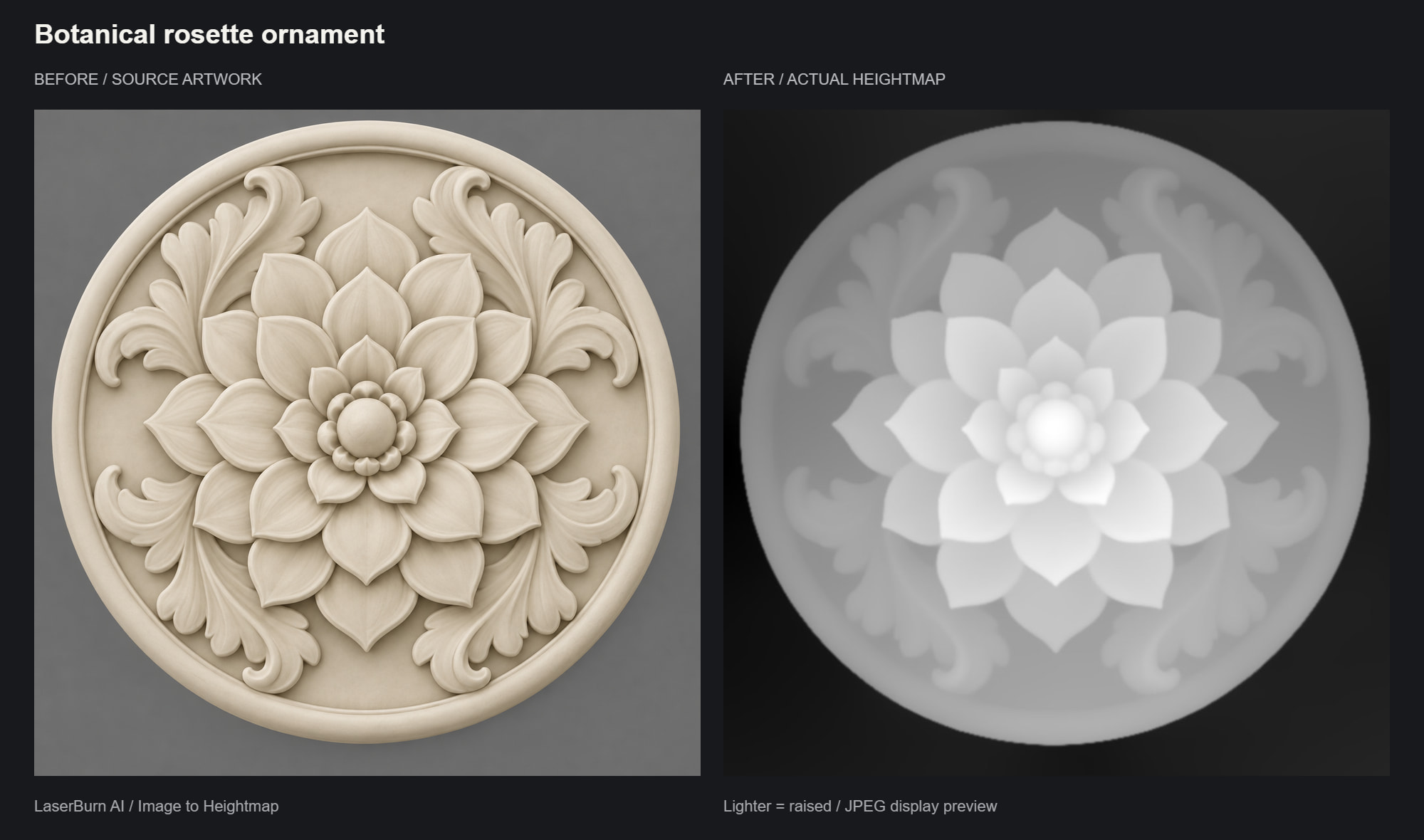
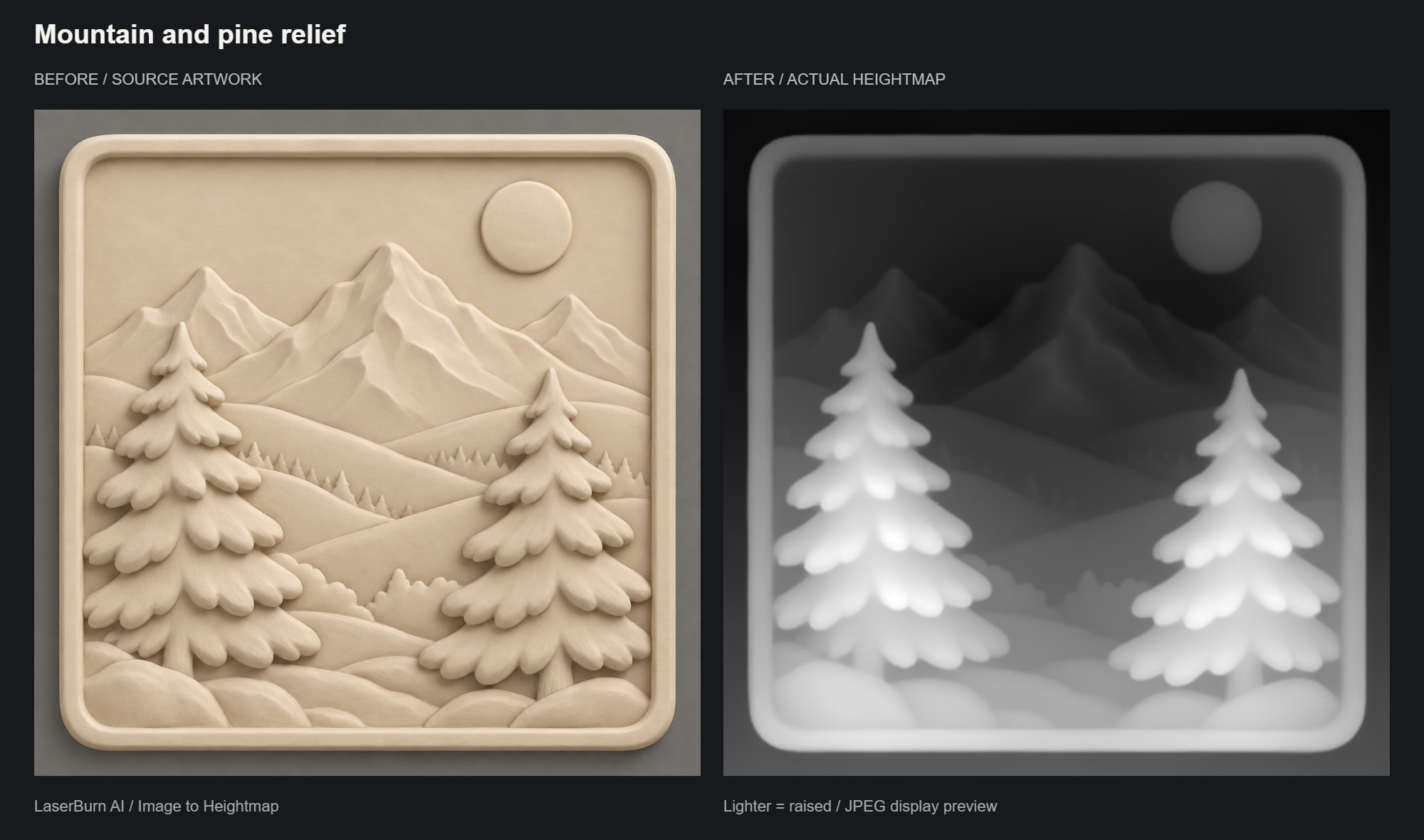
Source image and the standard depth map made from it. White is raised and black is the lowest point; the STL is this surface as a solid.
Frequently asked questions
What kind of STL do I get from an image?+
A relief: your picture raised out of a flat plate, like a coin or a carved plaque. The mesh is a watertight solid with a displaced top surface, four walls and a flat base, about 130,000 triangles. It is not a full 3D model you can turn around; a single photo does not contain the back of the subject, and this tool does not invent one.
Is the image to STL conversion free?+
The depth map preview is free: it runs in your browser with no sign-in and gives you a 16-bit grayscale PNG. The STL is part of the paid conversions. A detailed 3D relief uses 2 AI credits (10 AI credits for $5 a month, which is 5 reliefs, or one-time packs from $9). A standard depth map with an STL uses 1 heightmap credit (25 for $5, one-time). Failed conversions are refunded automatically.
How is this different from converters that turn brightness into height?+
Most image to STL converters read each pixel and make bright areas tall and dark areas low. That works for logos and lithophanes, and fails on photos: a black dog becomes a pit and a white wall becomes a tower. This tool estimates real depth with an AI model instead, so the nose stands in front of the ears whatever colour the fur is.
Which mode should I pick for 3D printing?+
For pets, people and portraits, choose the detailed 3D relief. AI re-sculpts the photo as a carver would, so eyes, fur and cloth folds become real surface detail, and the background is cut away to a flat base. For buildings, cars, landscapes and objects, the standard depth map keeps the true scene and prints as smoother, softer forms.
What size is the STL, and can I change it?+
It ships 100 mm wide with 10 mm of relief on a 3 mm base; the other side follows your photo's proportions. Scale it in your slicer: uniform scaling changes the plaque size, and scaling Z alone makes the relief deeper or shallower.
Which slicers and CAM programs open it?+
Any that read binary STL: Bambu Studio, OrcaSlicer, PrusaSlicer and Cura for printing; Fusion 360, VCarve, Aspire and Carveco for CNC. Each conversion also includes the 16-bit heightmap PNG and an inverted copy, for software that prefers a bitmap relief.
Can I make a lithophane with it?+
Not directly. A lithophane needs thickness driven by brightness, so light shows the picture through the print. This tool makes thickness follow depth, which gives a carved plaque you look at under normal light. Use a lithophane maker for backlit prints.
Can it turn a logo or flat drawing into an STL?+
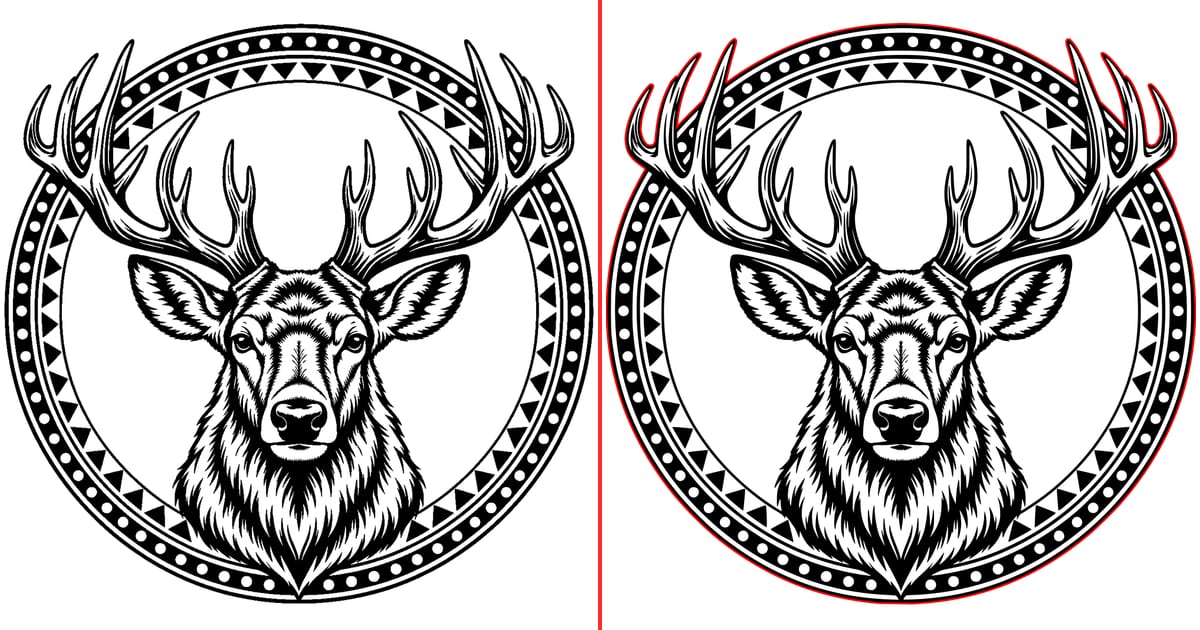
It is built for photos and shaded artwork, where there is depth to find. A flat logo has no depth, so the result is a shallow, soft shape. For a logo, trace it to SVG and extrude it in your CAD program or slicer; our PNG to SVG converter does the tracing step for free.
Will the relief keep the likeness of my pet or family?+
The detailed relief keeps the pose, composition and features of the photo, and pets come through very well. Because AI re-sculpts the image, human faces can drift slightly; a clear, well-lit, front-facing photo gives the closest result.
How should I print a relief plaque?+
Standing upright on its edge usually gives the cleanest surface, because the layer lines run across the relief instead of terracing it; add a brim for stability. Printed flat, use the thinnest layer height your printer manages well (0.08 to 0.12 mm) to reduce stair-stepping on shallow slopes.
Turn your own photo into a carving
Every conversion includes the 16-bit heightmap PNG, an inverted copy and a watertight STL. Failed conversions are refunded automatically.
25 depth maps for $5
Best for landscapes, buildings and objects. One-time purchase, $0.20 per conversion.
Shows as heightmap credits in your balance.
10 AI credits a month = 5 detailed reliefs
Best for pets, people and portraits. Unused credits roll over; cancel any time.
Prefer a one-time AI credit pack?You'll sign in with Google first, then go straight to checkout.