Image to Heightmap Converter
Upload any photo and get a CNC-ready 16-bit heightmap plus a 3D-printable STL relief, for relief carving, 3D printing and deep 3D laser engraving. Choose a detailed 3D relief (2 AI credits): AI sculpts your photo into a carving with faces, fur and folds and removes the background. Or a standard depth map (1 credit) that measures the real depth in the photo.
Click to upload, or drag and drop your photo here
JPG or PNG, any size
Standard depth map vs detailed 3D relief
The same image through both modes. A depth map captures how far things are from the camera, so faces and fur flatten into soft shapes. The detailed relief sculpts them as a carver would. Each preview is a 3D render of the actual heightmap the mode produced, at the delivered STL's proportions (100 mm wide, 10 mm of relief).
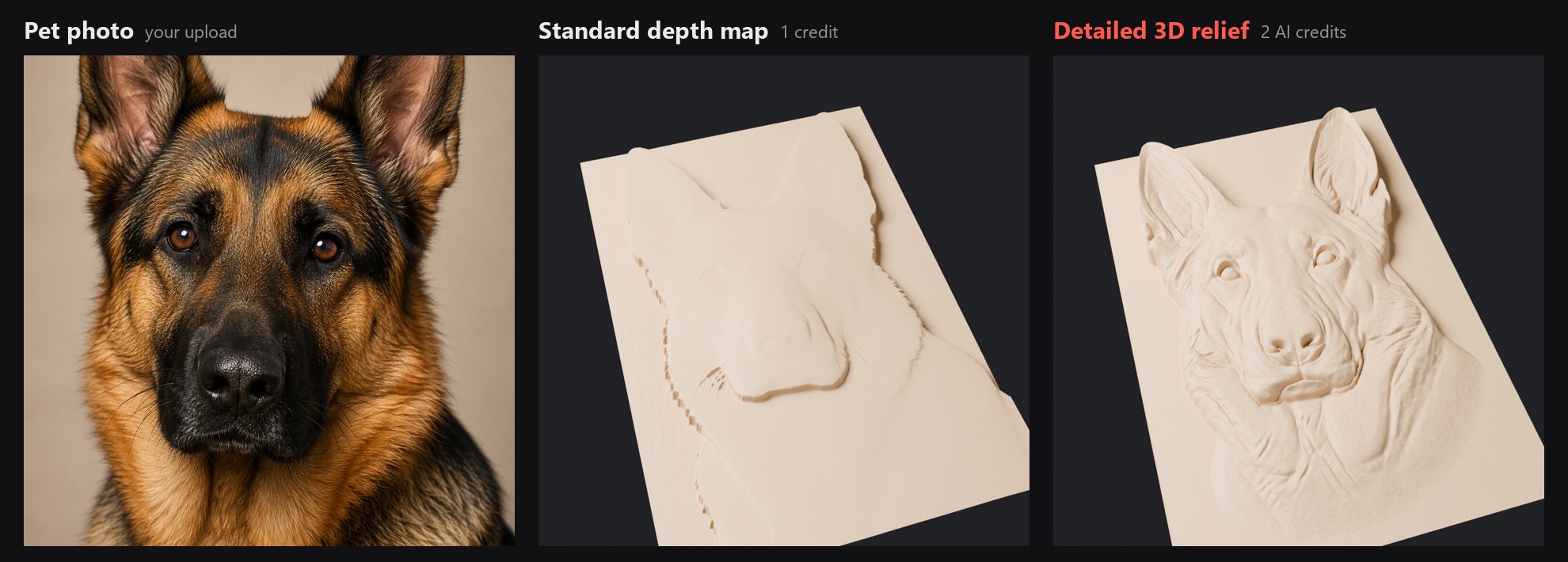
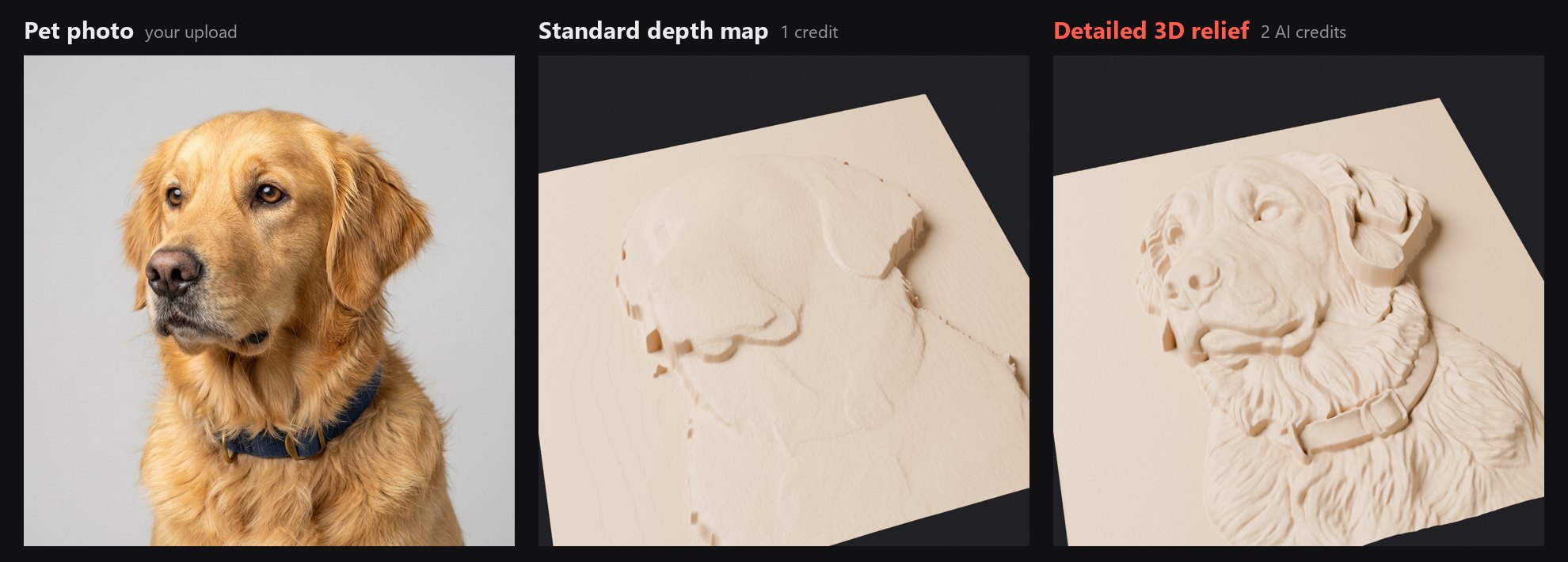
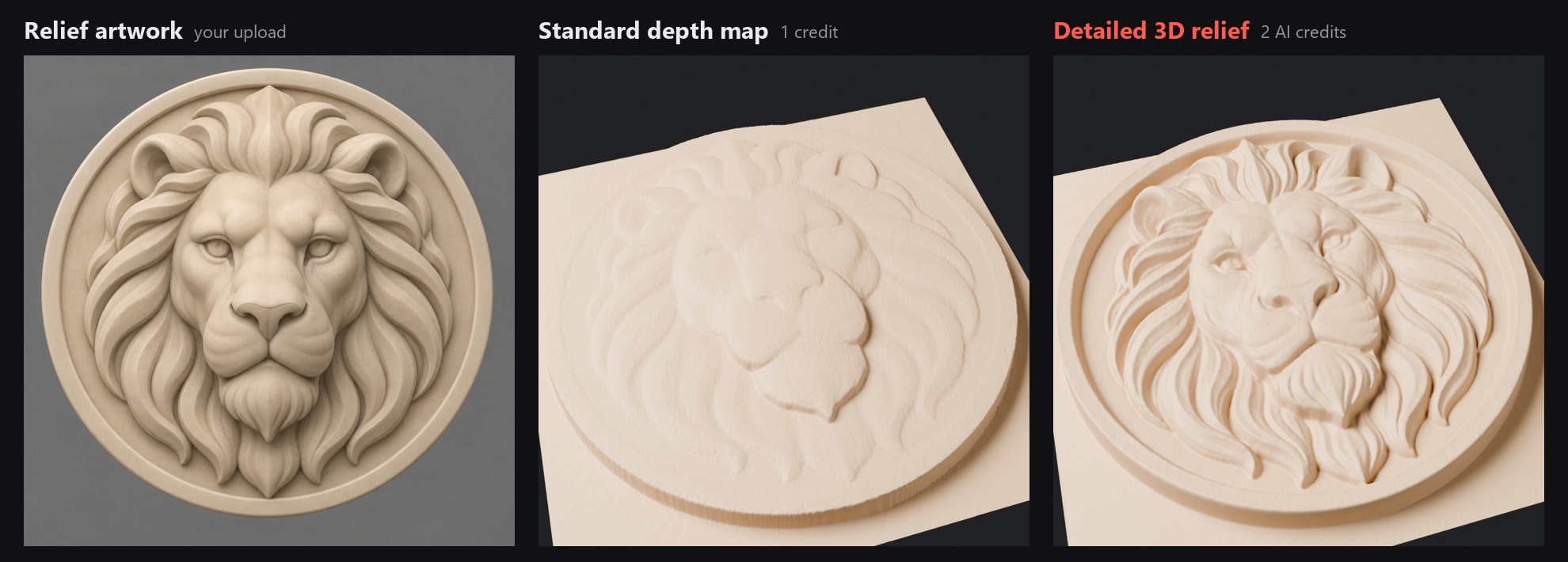
Detailed relief is an AI sculpt of your photo: pose and features carry over closely, but it is an interpretation, so a clear, front-facing subject gives the best likeness.
Artwork to heightmap: carving and engraving examples
Start with artwork that already suggests a sculpted relief: broad raised forms, a recessed background and clear depth layers. These original AI-generated designs were converted with this tool. Each before-and-after image pairs the source artwork with its actual heightmap.
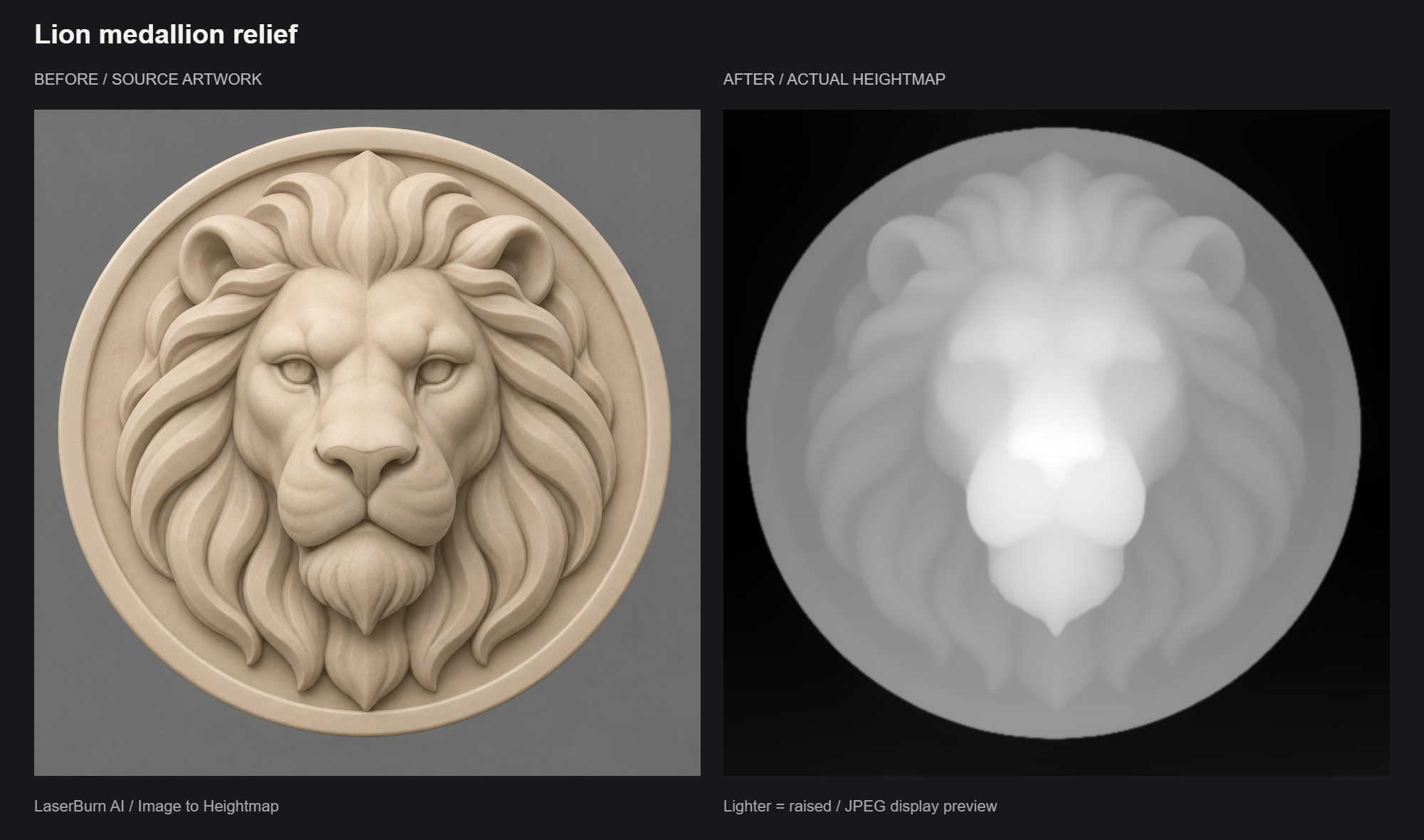
Lion medallion relief
Broad facial forms and separated mane locks give the depth model a clear central subject. The grayscale result shows the estimated relief height, with lighter areas raised.
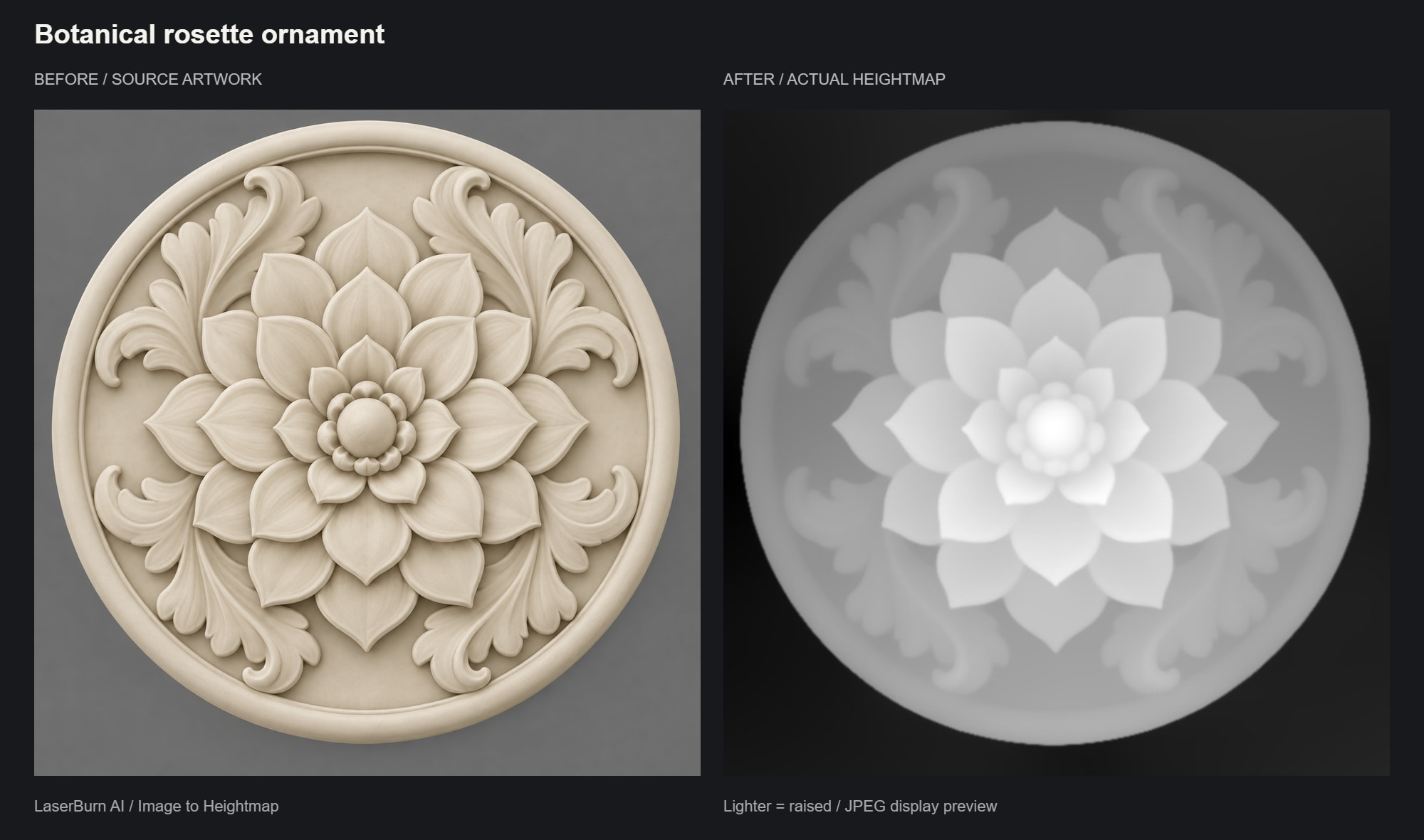
Botanical rosette ornament
Overlapping petals, a raised flower center and a recessed field create readable depth. Broad shapes are easier to interpret than hairline veins or dense surface texture.
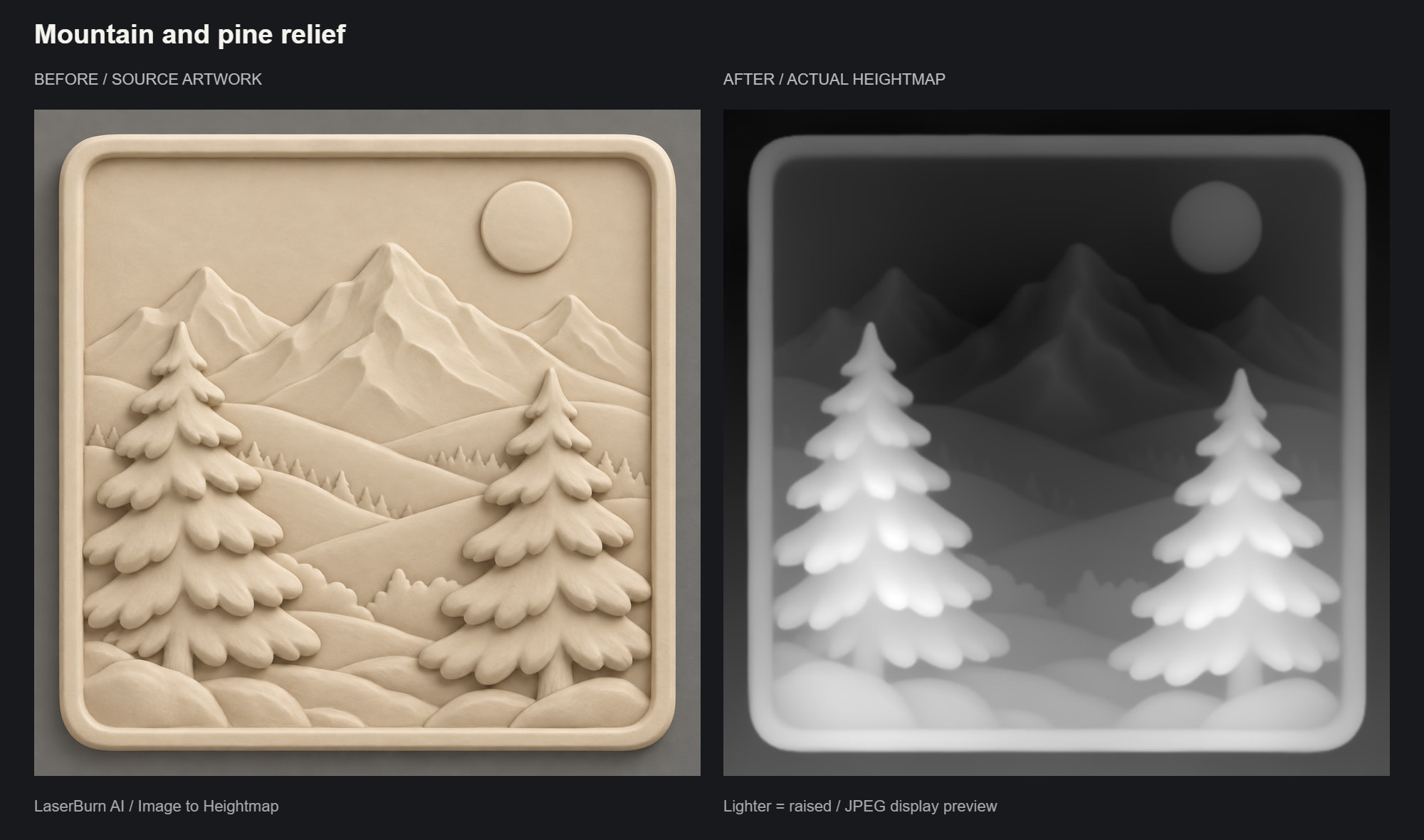
Mountain and pine relief
Large foreground trees, rolling hills and a quiet sky establish distinct depth layers. Inspect small background details in the result before choosing a carving depth or engraving setup.
These JPGs are display previews, not machining files. Your conversion includes a 16-bit PNG and STL. Fine surface details may be simplified; inspect the relief and test your material before a full carve or engraving.
Four prompts for relief artwork
Try a sculptural illustration with one consistent material and gentle lighting. Give the main forms room to stand apart. The first three subjects are shown above; the oak-leaf panel is another prompt to try.
Lion medallion prompt
Create an artistic lion-head bas-relief medallion, front-on and symmetrical. Use a broad raised muzzle, rounded brow and large flowing mane locks. Make the central face highest, the mane lower and the circular background recessed. Uniform matte ivory clay, soft diffuse light, smooth connected surfaces, simple raised rim, entire design visible. Avoid individual hairs, detached whiskers, undercuts, hard shadows, text and photorealistic scenery.
Layered botanical rosette prompt
Create a sculptural botanical rosette with three tiers of broad overlapping flower petals and sweeping acanthus leaves. Raise the flower center above the petals, place the leaves lower and recess the flat background. Front-on orthographic view, uniform matte ivory clay, soft diffuse lighting and a simple circular rim. Keep each form attached to the base; avoid hairline veins, lacework, undercuts, surface grain, text and dramatic shadows.
Mountain and pine relief prompt
Create an artistic mountain-and-pine bas-relief plaque. Place two chunky pine trees in the foreground, broad rolling hills behind them, three sculpted mountain peaks farther back and a simple sun disk above a recessed sky. Use smooth depth transitions, connected tree-branch masses and a rounded-square border. Front-on view, uniform matte ivory clay and diffuse light. Avoid needles, tiny scenery, snow-color changes, reflections, undercuts, text and photographic landscape detail.
Oak-leaf ornamental panel prompt
Create a decorative oak-leaf bas-relief panel with two curling oak leaves framing three rounded acorns. Make the acorns the highest forms, the broad leaf lobes a middle layer and the quiet background recessed. Use gently beveled edges, wide shallow vein channels and connected stems, all attached to one flat base. Front-on orthographic view, uniform matte ivory clay, diffuse lighting and a restrained oval border. Avoid holes, undercuts, thin twigs, dense texture, lettering and photographic realism.
Example conversions
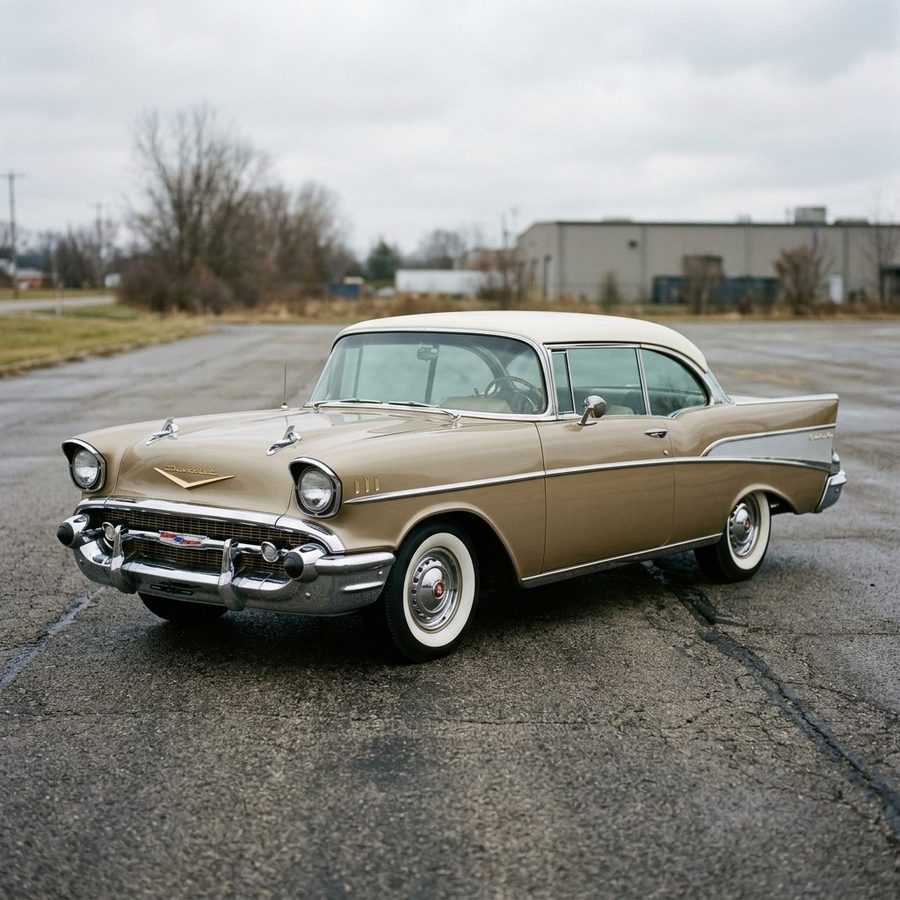
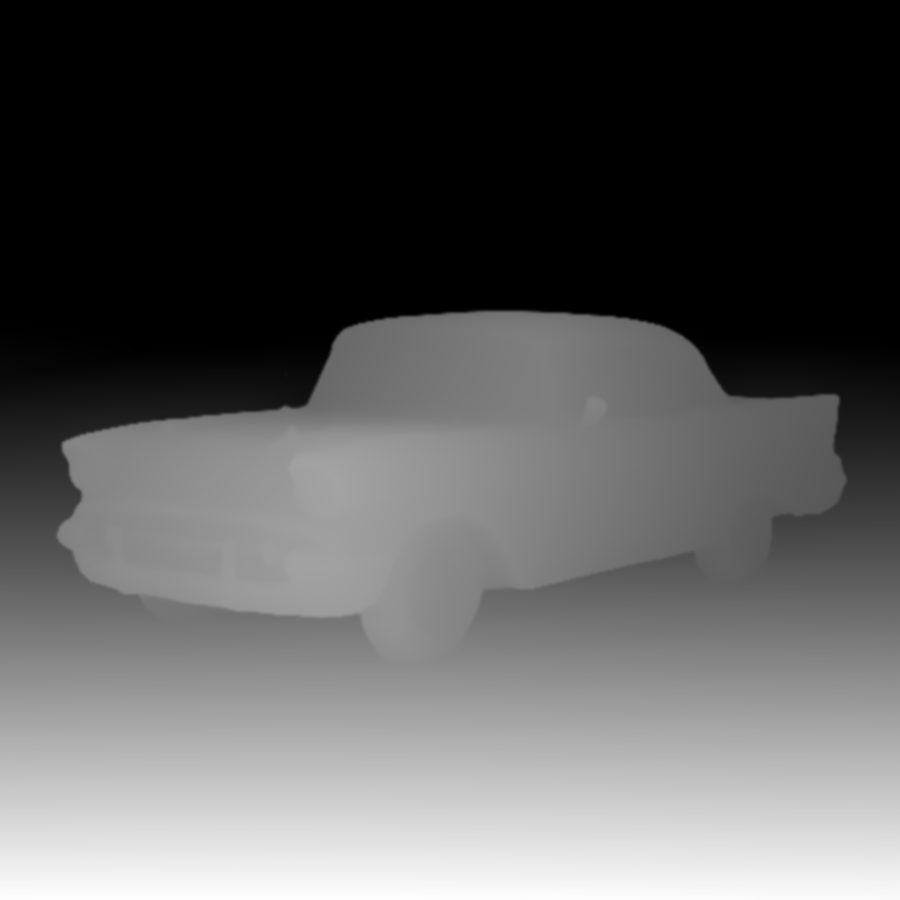
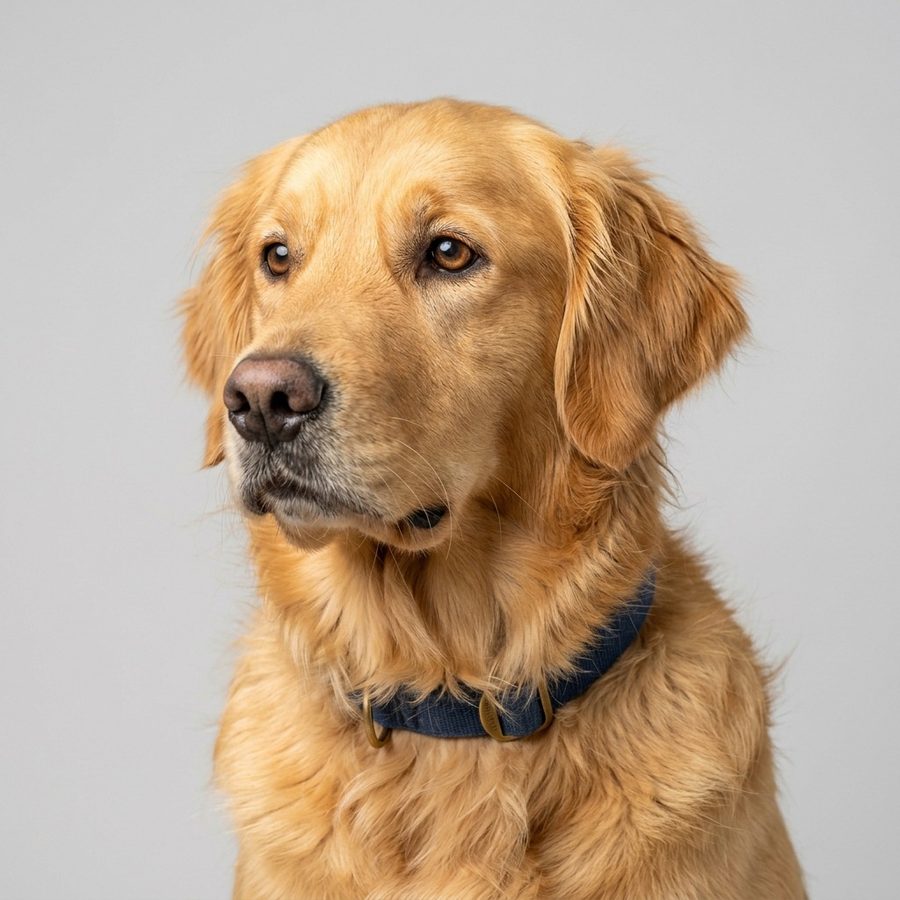
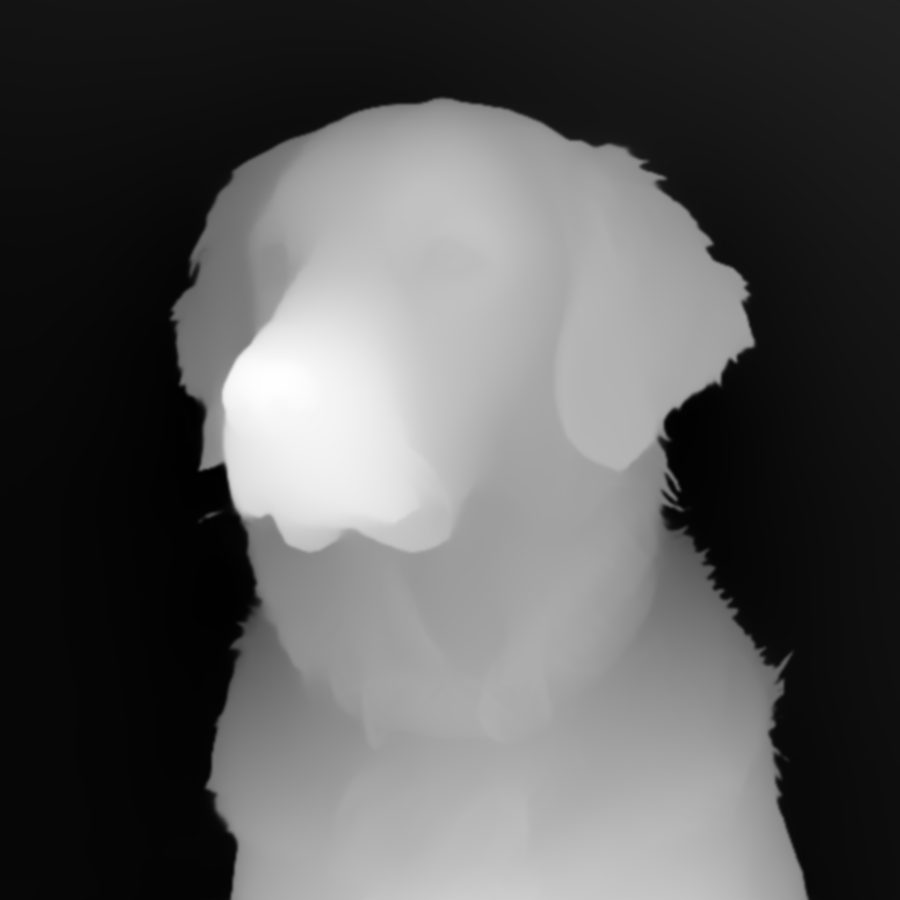
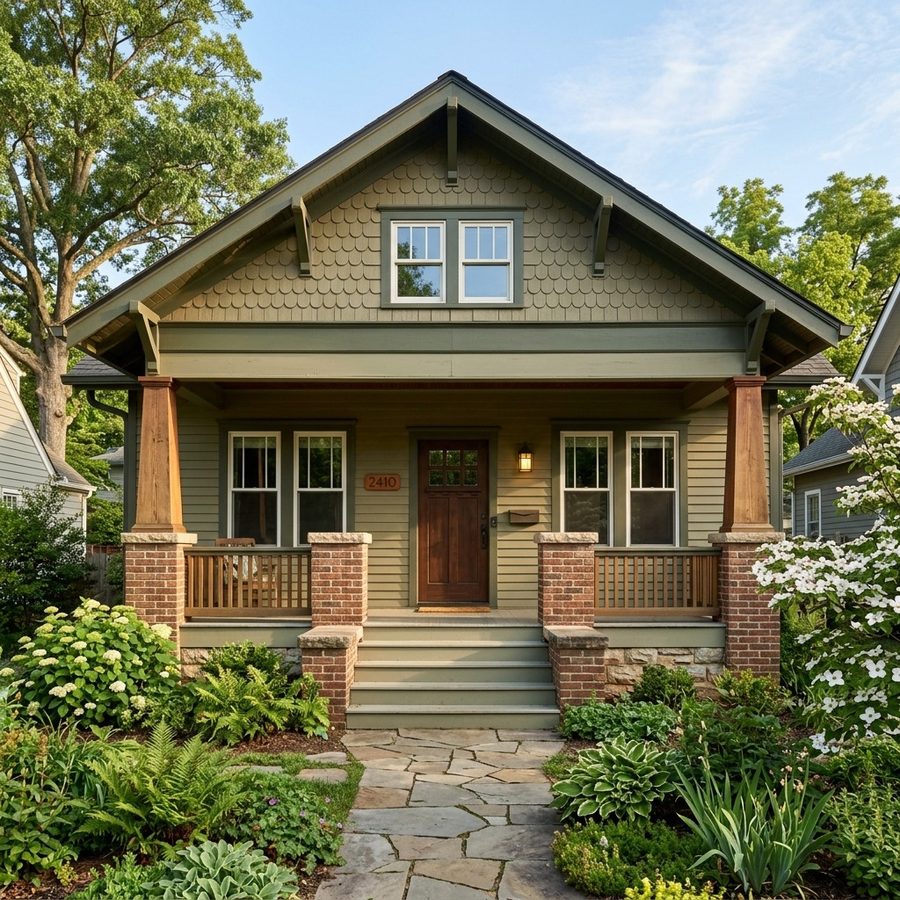
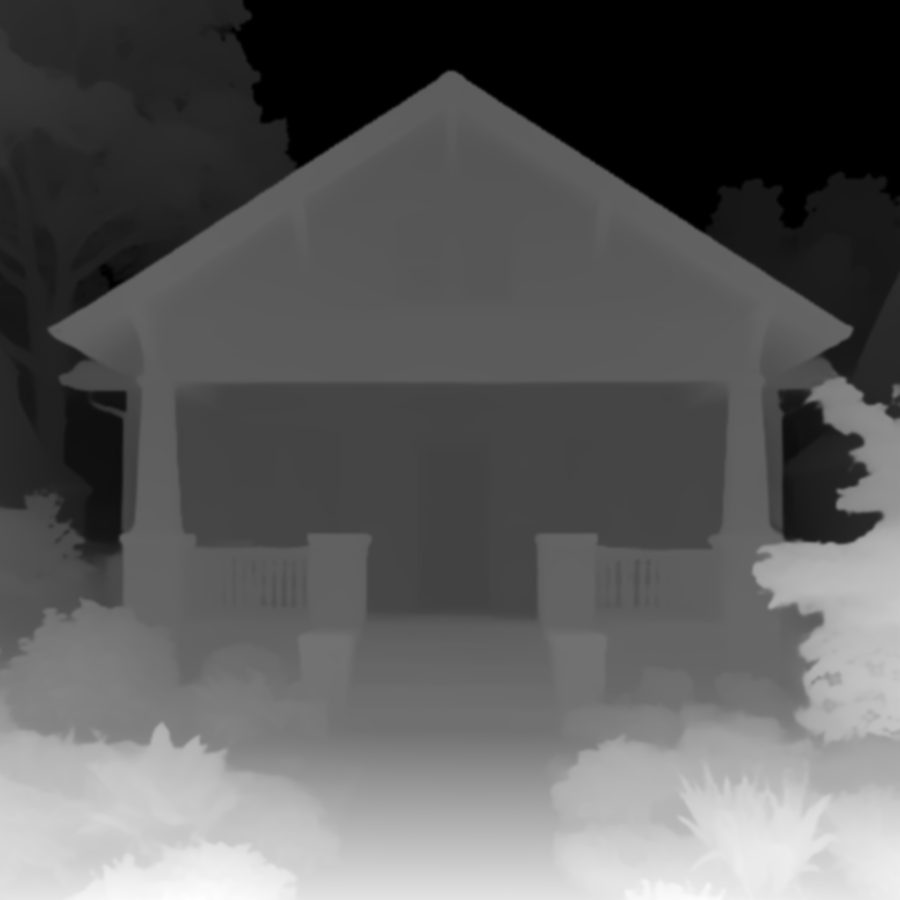
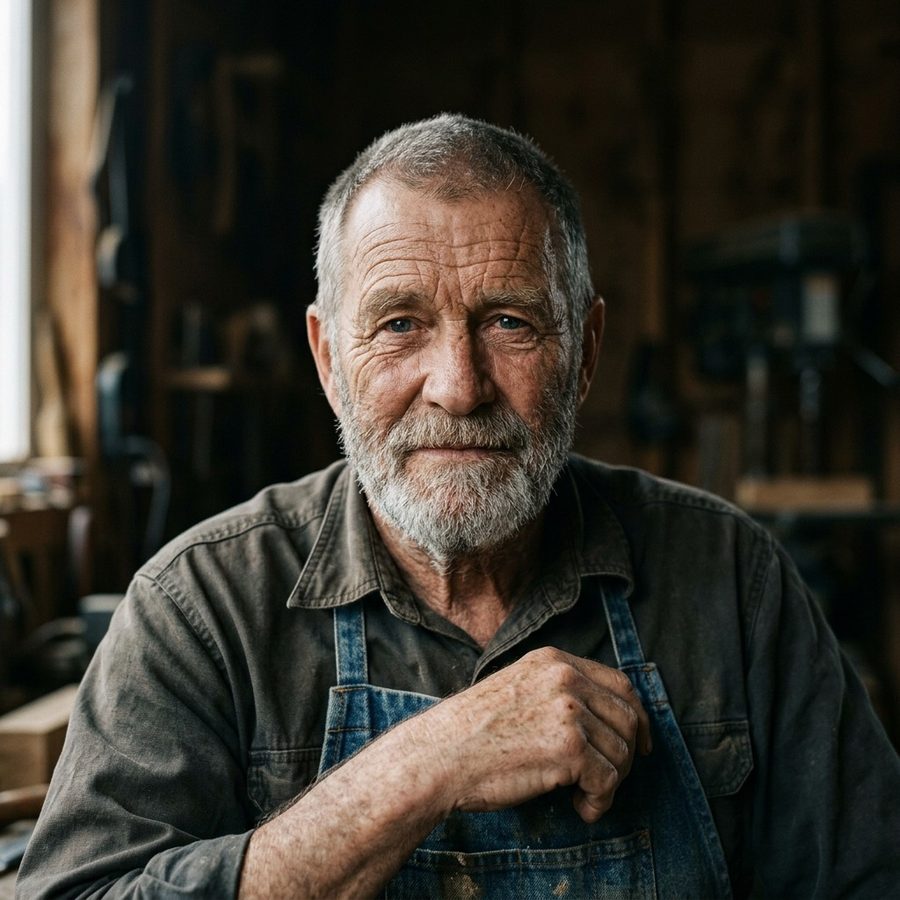
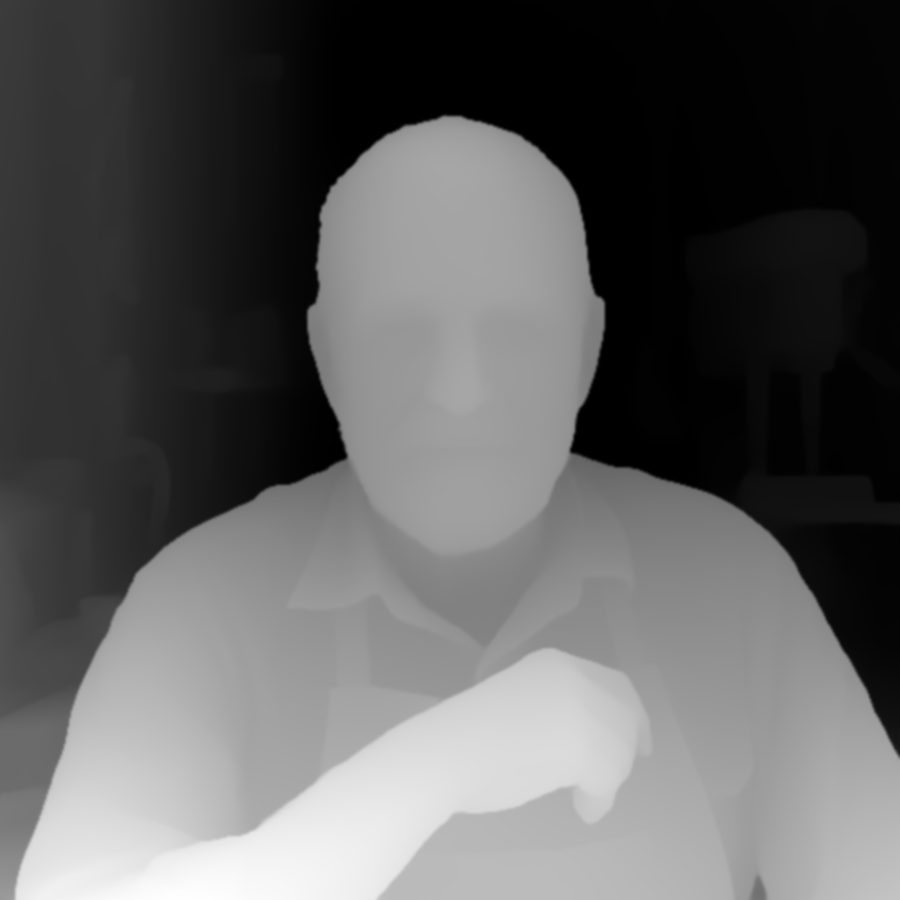
True depth, not brightness
Every free "image to heightmap" tool does the same thing: it converts your photo to grayscale and calls brightness height. That fails on real photos — dark clothing reads as a deep pocket, bright backgrounds tower over the subject, and the carve comes out unrecognizable. This converter runs a monocular depth-estimation model that understands the scene: it knows the nose is closer than the ears, the subject is in front of the background, and the sky is far away.
The raw AI output then gets the machining treatment: noise smoothing (depth noise becomes router chatter), resolution upscaling, and expansion to 16-bit — 65,536 height levels instead of the 256 that cause visible stair-step terracing in 8-bit files. The result drops straight into VCarve, Aspire, Carveco, or Fusion 360.
How it works
- STEP 1
Upload your photo
Drop in any JPG or PNG. Portraits, pets, cars, buildings, and landscapes with a clear subject convert best.
- STEP 2
AI builds the depth map
Depth estimation maps what's near and far, then smoothing and 16-bit expansion turn it into machinable gradients. About 20 seconds.
- STEP 3
Download all formats
16-bit heightmap PNG, inverted variant, and a watertight STL — one bundle covers CNC bitmap workflows, mesh workflows, and 3D printing.
One conversion, three workflows
CNC relief carving
Import the 16-bit PNG into VCarve, Aspire, Carveco, or Fusion 360 as a bitmap relief. Set depth, pick a ballnose bit, generate toolpaths.
3D printing
The STL is a watertight solid with a flat base — slice and print as-is, or scale it in PrusaSlicer, Cura, or Bambu Studio first.
3D laser engraving
Use the heightmap in LightBurn's grayscale image mode for deep multi-pass 3D engraving — grayscale drives laser power.
Frequently asked questions
How is this different from free image-to-grayscale converters?+
Free tools map pixel brightness to height, which is physically wrong — a dark shirt is not a valley and blonde hair is not a mountain. This tool runs true AI depth estimation (the model understands what is near and what is far), then post-processes the result into smooth, machinable gradients. You also get 16-bit output: free tools ship 8-bit files whose 256 levels show up as visible terracing steps in a carve.
What is the difference between the detailed 3D relief and the standard depth map?+
The standard depth map (1 credit) measures how far each part of your photo is from the camera, so it keeps the real scene but carves as smooth, soft forms with little fine detail. The detailed 3D relief (2 AI credits) has AI sculpt your photo into a carving-ready relief: faces, eyes, fur and cloth folds become real carved detail, and the background is removed to a flat base. Choose detailed for pets, people and portraits, and standard for landscapes, buildings and objects where true depth matters most.
Does the detailed relief keep my pet's or family's likeness?+
It keeps the pose, composition and features of your photo, and pets come through very well. Because the AI re-sculpts the image, faces of people can drift slightly, so a clear, well-lit, front-facing photo gives the closest likeness. If a photo cannot be converted, your AI credits are refunded automatically.
What files do I get?+
Every conversion returns four files: a 16-bit grayscale heightmap PNG (white = raised), the same heightmap inverted (for software or workflows that expect the opposite convention), a watertight STL relief mesh, and a preview JPG. No settings to tune — the bundle covers both conventions.
Which CNC software does the heightmap work with?+
Any CAM package that imports bitmap reliefs: Vectric VCarve and Aspire, Carveco (formerly ArtCAM), Fusion 360, CamBam, and Kiri:Moto. Import the 16-bit PNG, set your material thickness and carve depth, and generate toolpaths as usual.
Can I 3D print the result?+
Yes — the STL is a watertight solid (relief surface, walls, and flat base) that slices cleanly in PrusaSlicer, Cura, Bambu Studio, or any slicer. It ships at 100mm wide with 10mm of relief on a 3mm base; scale it freely in your slicer.
Why does 16-bit matter for CNC relief carving?+
An 8-bit heightmap has only 256 height levels. Spread over a 10mm-deep carve, each level is a 0.04mm step — and consecutive flat areas become visible terraces your router traces faithfully. 16-bit files have 65,536 levels, so gradients stay continuous and the carved surface comes out smooth.
Does this work for 3D grayscale laser engraving?+
Yes. Deep 3D engraving on wood with a diode or CO2 laser uses the same grayscale-drives-power principle. Use the heightmap PNG in LightBurn's image mode with grayscale ramp mode, run multiple passes, and darker areas remove more material.
How much does it cost?+
A detailed 3D relief uses 2 AI credits, the same credits as the AI image tools: packs start at $5 a month or $9 one-time. A standard depth map uses 1 heightmap credit if you have any, or 1 AI credit if you choose to spend one. Every conversion includes all four files, and failed conversions are refunded automatically.
More Tools
 AI
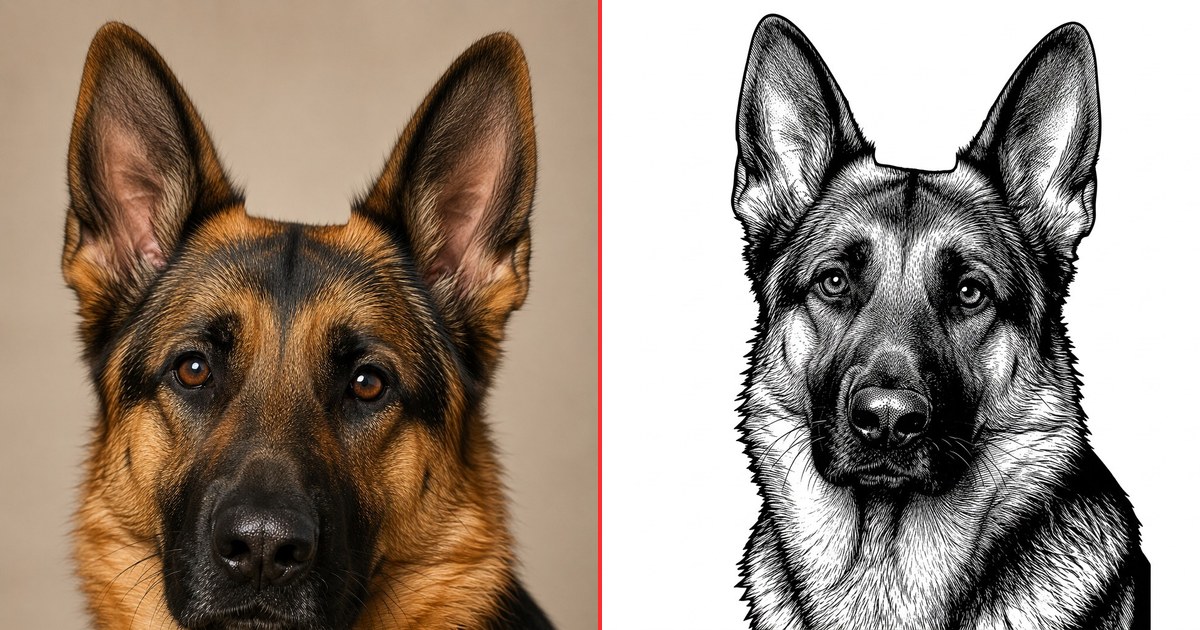
AIPhoto to Engrave
Convert any photo into a laser-ready engraving file using AI.
1 credit per design
 Free
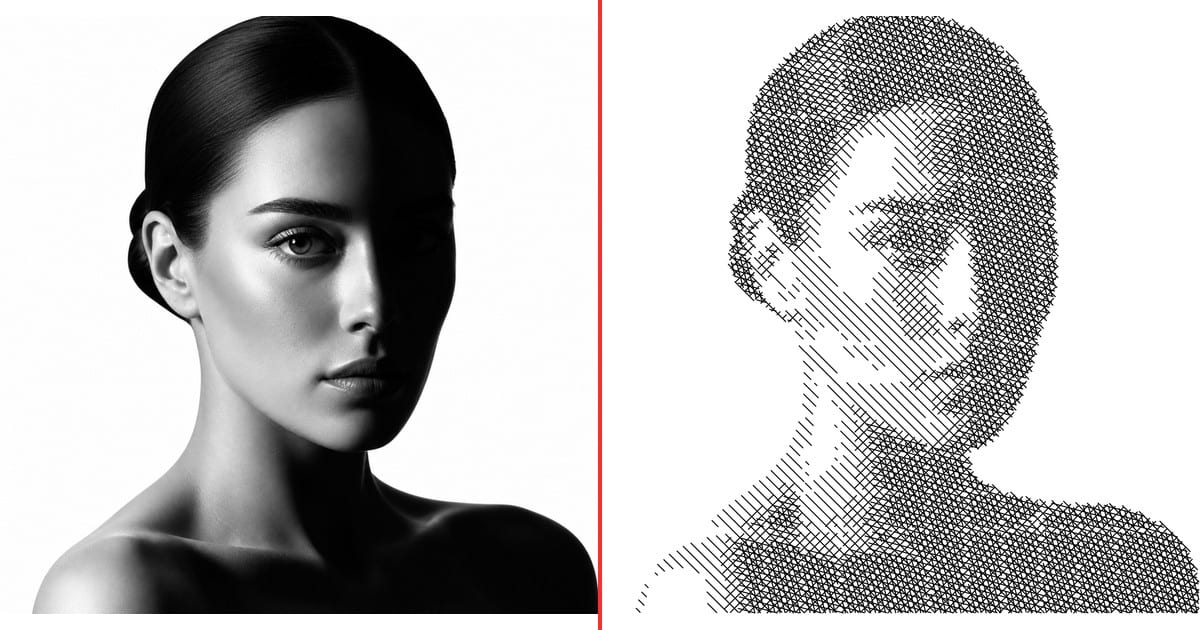
FreeSingle Line Art
Turn any photo into plotter-ready line art in five styles.
Free · no signup
 Pro
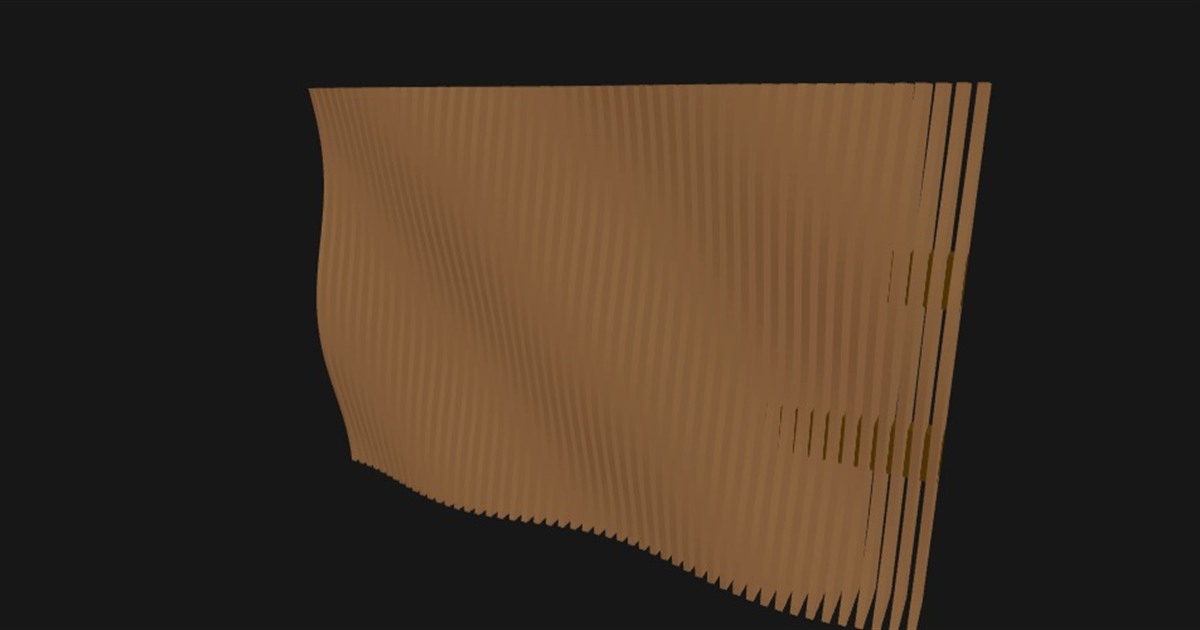
ProParametric Wall Art
Design custom 3D parametric wall art from patterns or images.
$29 one-time · design free